





If you’re relying on GA4 to guide marketing decisions, you need more than surface-level reports. You need a proper GA4 audit that verifies your setup, validates your data, and uncovers tracking errors that quietly distort your analytics.
Most companies assume their google analytics setup is “fine.”
It rarely is.
A real google analytics 4 audit doesn’t just scan dashboards — it inspects configuration, events, parameters, ecommerce tracking, conversion logic, and attribution signals inside your ga4 property.
At GAfix we perform a comprehensive, practitioner-led ga4 audit that identifies:
- Hidden tracking issues
- Duplicate tracking
- Broken conversion tracking
- Incorrect events in GA4
- Misconfigured data streams
- Attribution distortion between GA4 and Google Ads
- Ecommerce discrepancies in transactions in GA4
- Data retention and Google Signals misalignment
This isn’t a template checklist.
It’s a structured, repeatable, technical review designed to ensure accurate data, maintain data integrity, and give you actionable insights you can actually use.
If you want to optimize GA4, you start with a proper audit.
Not sure what to budget? The full GA4 audit cost breakdown covers every option - from a $0 free scan to a $30,000+ enterprise engagement, mapped to setup complexity.
Why Most Google Analytics Setups Fail (Even When “Working”)
I’ve audited hundreds of GA4 properties. The pattern is consistent:
They collect data — but not accurate data.
The issue isn’t whether google analytics 4 is installed.
The issue is whether your GA4 configuration supports confident, reliable decision-making.
Here’s what we consistently uncover during a GA4 audit.
1. Incomplete GA4 Implementation
Most GA4 setups are technically “live” — but structurally flawed.
Common gaps:
- Events not properly set up in GA4
- Missing key parameters in GA4
- Inconsistent naming conventions
- Tracking code hardcoded instead of deployed via Google Tag Manager
- No standardized GA4 setup documentation
When event tracking lacks structure, data in GA4 becomes fragmented. Reporting suffers quietly.
2. Broken Conversion Tracking
Conversion tracking errors are the most expensive mistakes we find.
Typical issues include:
- Primary conversion events misconfigured
- Conversions not marked correctly inside GA4
- Landing page attribution distortion
- Google Ads misaligned with GA4 conversion logic
- Duplicate purchase events inflating revenue
Without accurate conversion tracking, your funnel analysis becomes unreliable — and optimization decisions become guesswork.
3. Ecommerce Tracking Errors
If you run ecommerce, the margin for error is smaller.
We regularly see:
- Transactions in GA4 not matching backend revenue
- Missing item-level data
- GA4 ecommerce evens firing twice
- Checkout funnel gaps
- Legacy mapping issues from Universal Analytics during GA4 migration
When ecommerce tracking breaks, revenue reporting becomes fiction.
4. Data Accuracy & Integrity Risks
Even when tracking “works,” integrity often doesn’t.
We frequently find:
- Improper use of Google Signals
- No internal traffic filters
- Third-party scripts interfering with GA4 tracking
- Data stream misconfiguration
- Inconsistent metric logic across reports
- Looker Studio dashboards pulling flawed analytics data
The result?
You make marketing and analytics decisions based on compromised data.
A comprehensive Google Analytics 4 audit protects your decision layer — so when you use GA4, you’re acting on accurate data, not assumptions.
What Our GA4 Audit Tool Covers: 18+ Proprietary Checkpoints
Most manual analytics audits rely on whoever is conducting the review. Some focus on events. Others focus on attribution. Very few evaluate the entire GA4 ecosystem systematically.
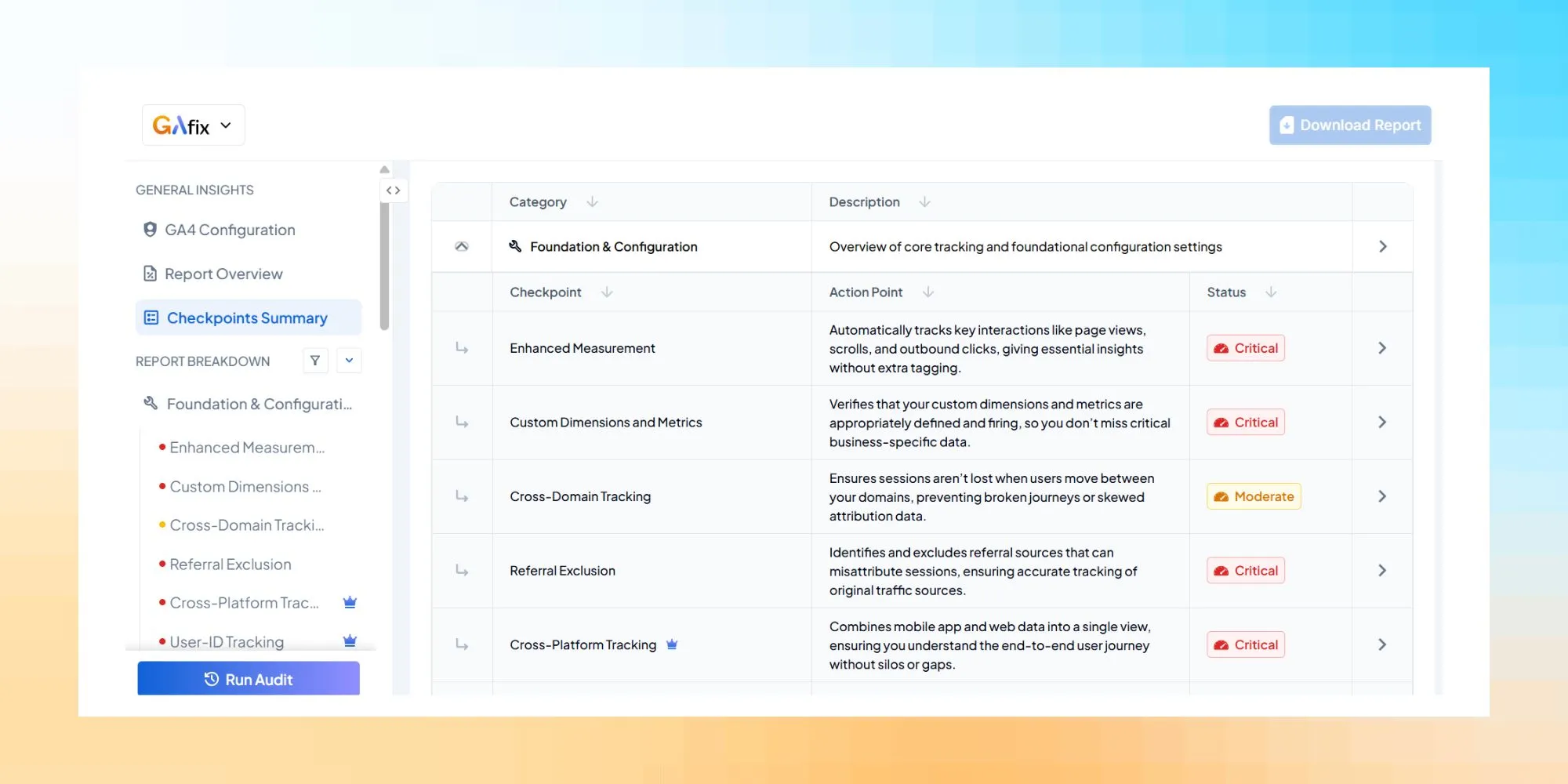
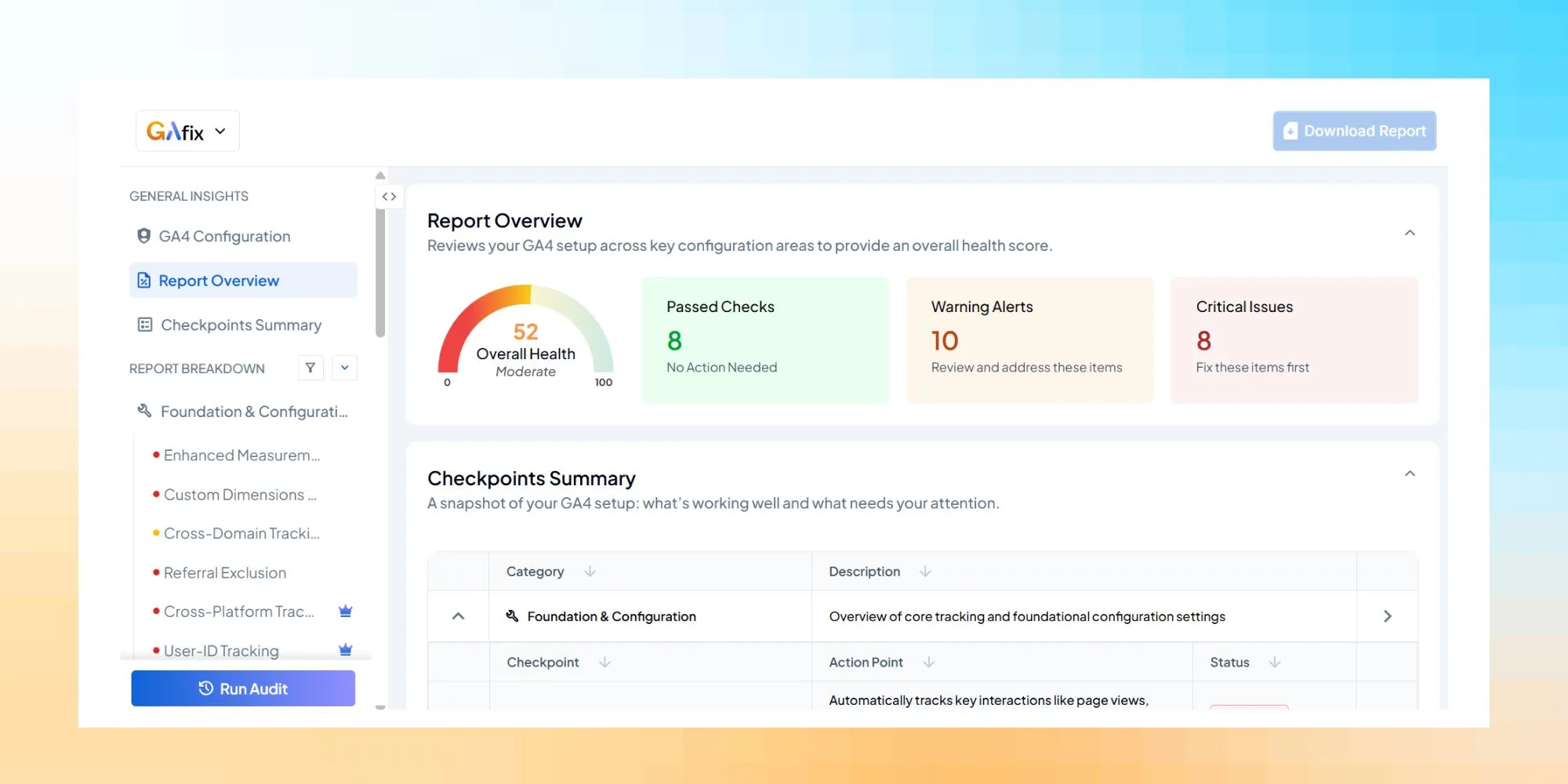
Our free GA4 audit tool is built on a proprietary 18+ checkpoint methodology organized into a 9-pillar framework, ensuring your GA4 setup is assessed systematically and holistically, not selectively.
Each audit pillar is designed to validate configuration, data accuracy, tracking integrity, and business alignment.
Here’s exactly how we audit your Google Analytics 4 environment.
1. Foundation & Configuration
Everything in GA4 sits on configuration.
If the foundation is flawed, every metric downstream becomes unreliable.
We audit:
- GA4 property structure
- General property settings
- Time zone & currency alignment
- Data stream setup
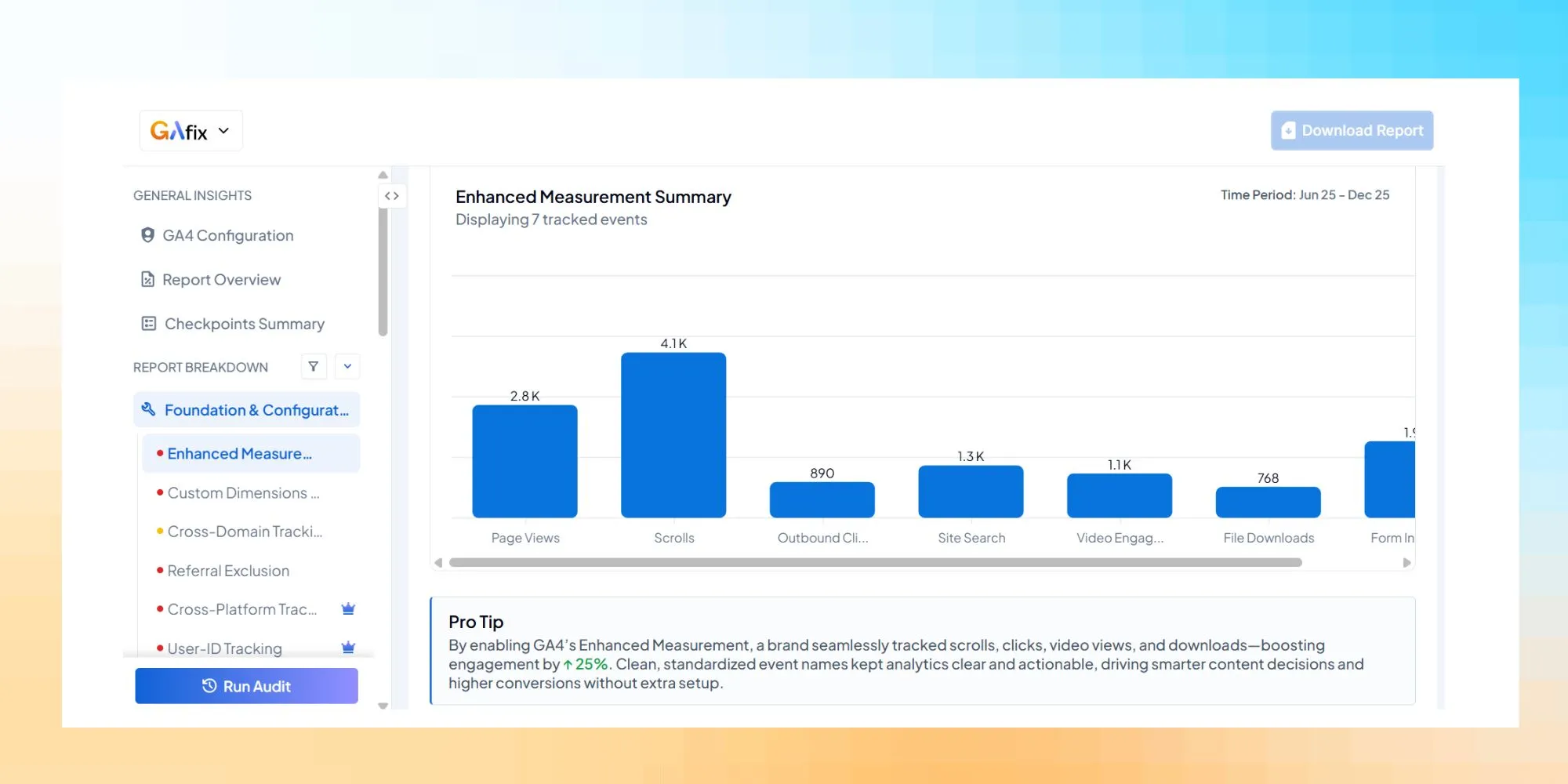
- Enhanced Measurement configuration
- Custom dimensions and custom metrics
- Cross-domain tracking
- Referral exclusion logic
- Cross-platform tracking (web + app)
- User-ID tracking (Pro)
We validate whether your GA4 configuration ensures accurate data collection across domains, subdomains, and platforms.
This pillar protects data integrity at the architectural level.
2. Event & E-commerce Tracking
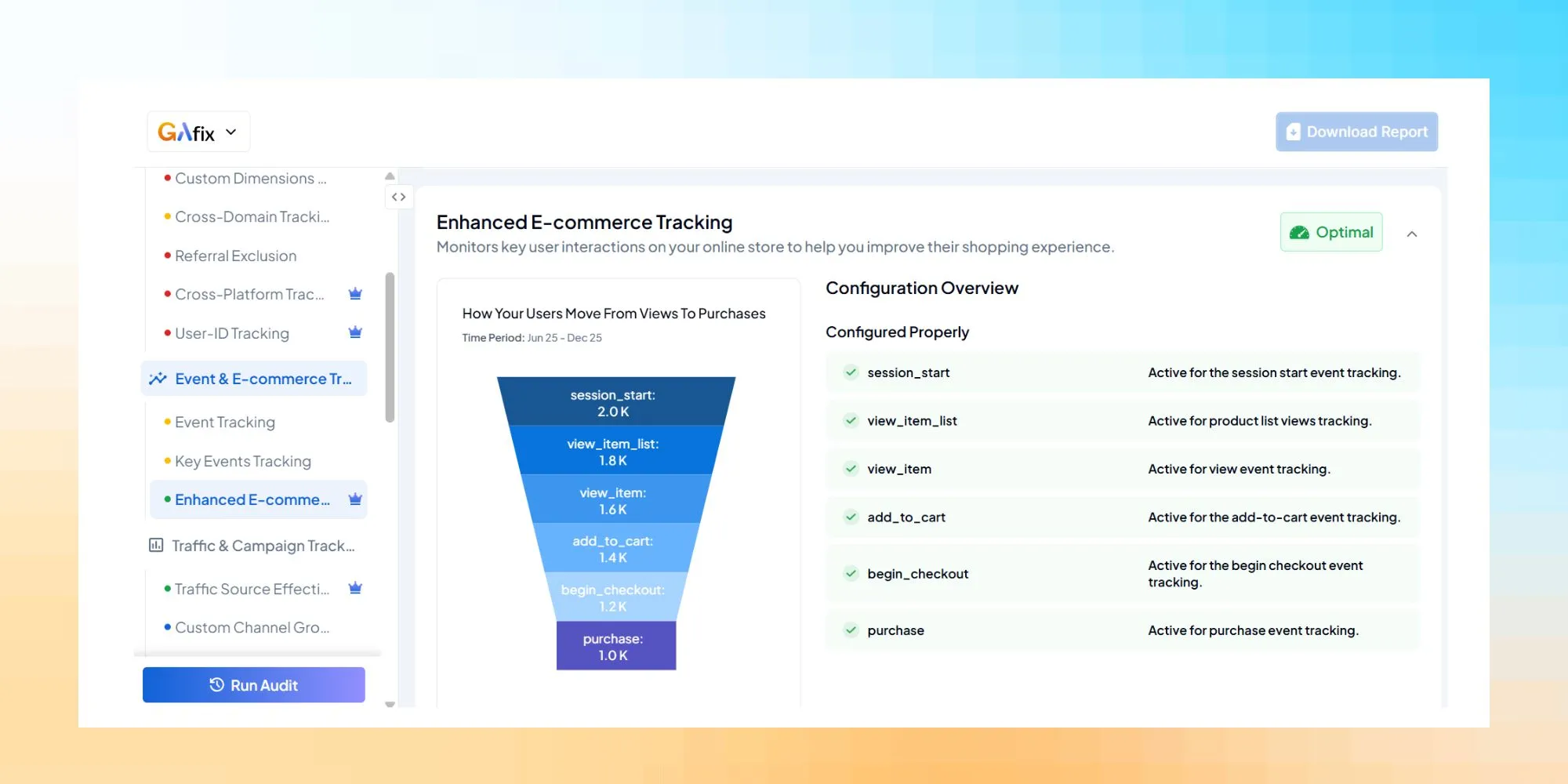
Because GA4 uses an event-based model, event tracking accuracy determines everything.
We audit:
- Event tracking structure
- Events in GA4 naming conventions
- Parameter in GA4 consistency
- Key events tracking (conversion definitions)
- Duplicate tracking risks
- Events sent to GA4 validation
- Enhanced ecommerce tracking (Pro)
- Transactions in GA4 accuracy
- GA4 ecommerce implementation quality
For ecommerce businesses, this is mission-critical.
We verify that your ecommerce tracking aligns with backend revenue and that your conversion tracking reflects real user behavior — not inflated event fires.
3. Traffic & Campaign Tracking
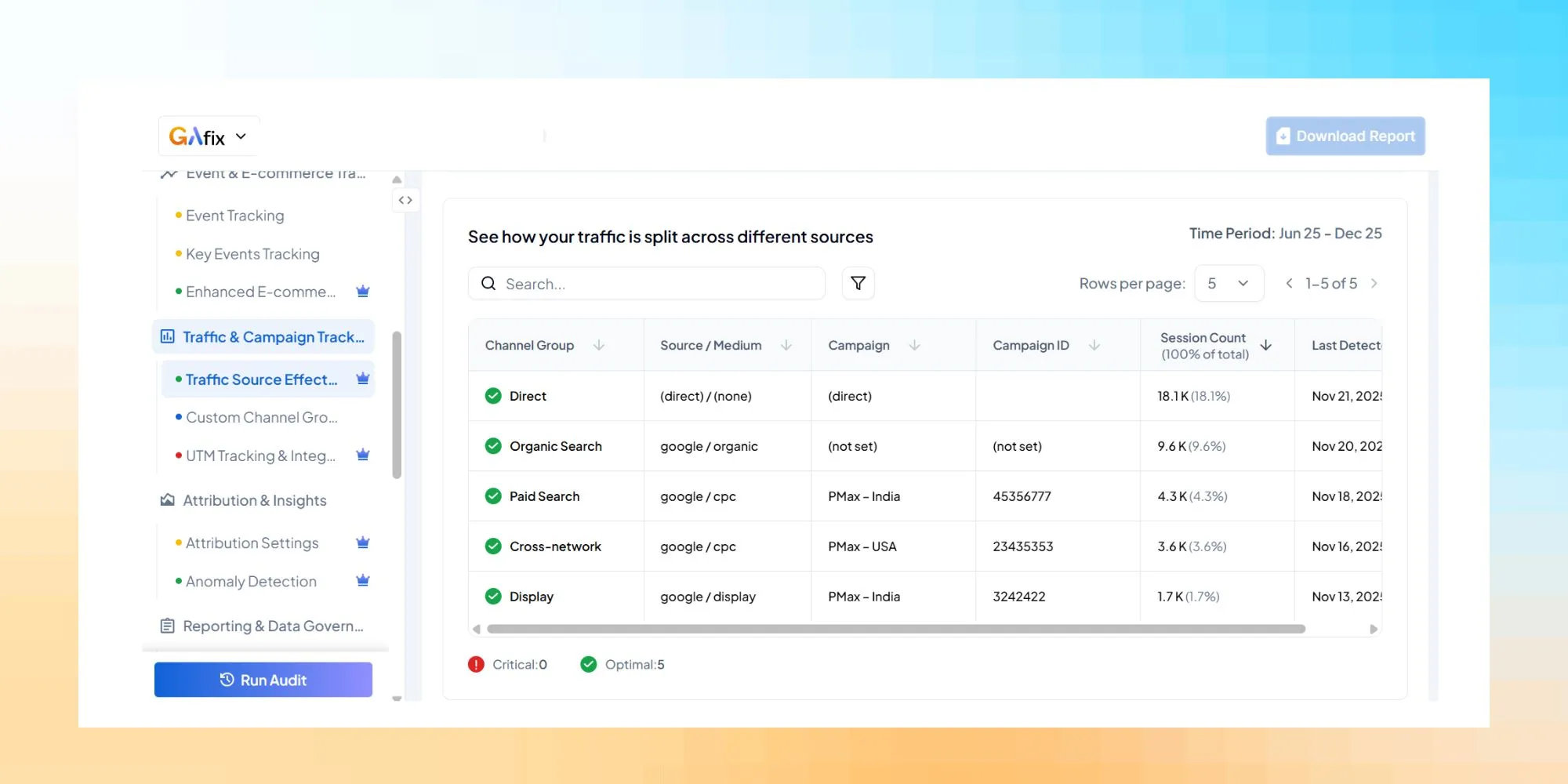
Attribution errors often begin with traffic misclassification.
We audit:
- Traffic source effectiveness (Pro)
- UTM governance
- Landing page consistency
- Default channel grouping alignment
- Google Ads linking validation
- Whether GA4 properly classifies paid vs organic traffic
If you use Google Ads, we verify import accuracy and ensure your GA4 reporting aligns with ad platform data.
A GA4 audit should clarify where performance truly comes from.
4. Attribution & Insights
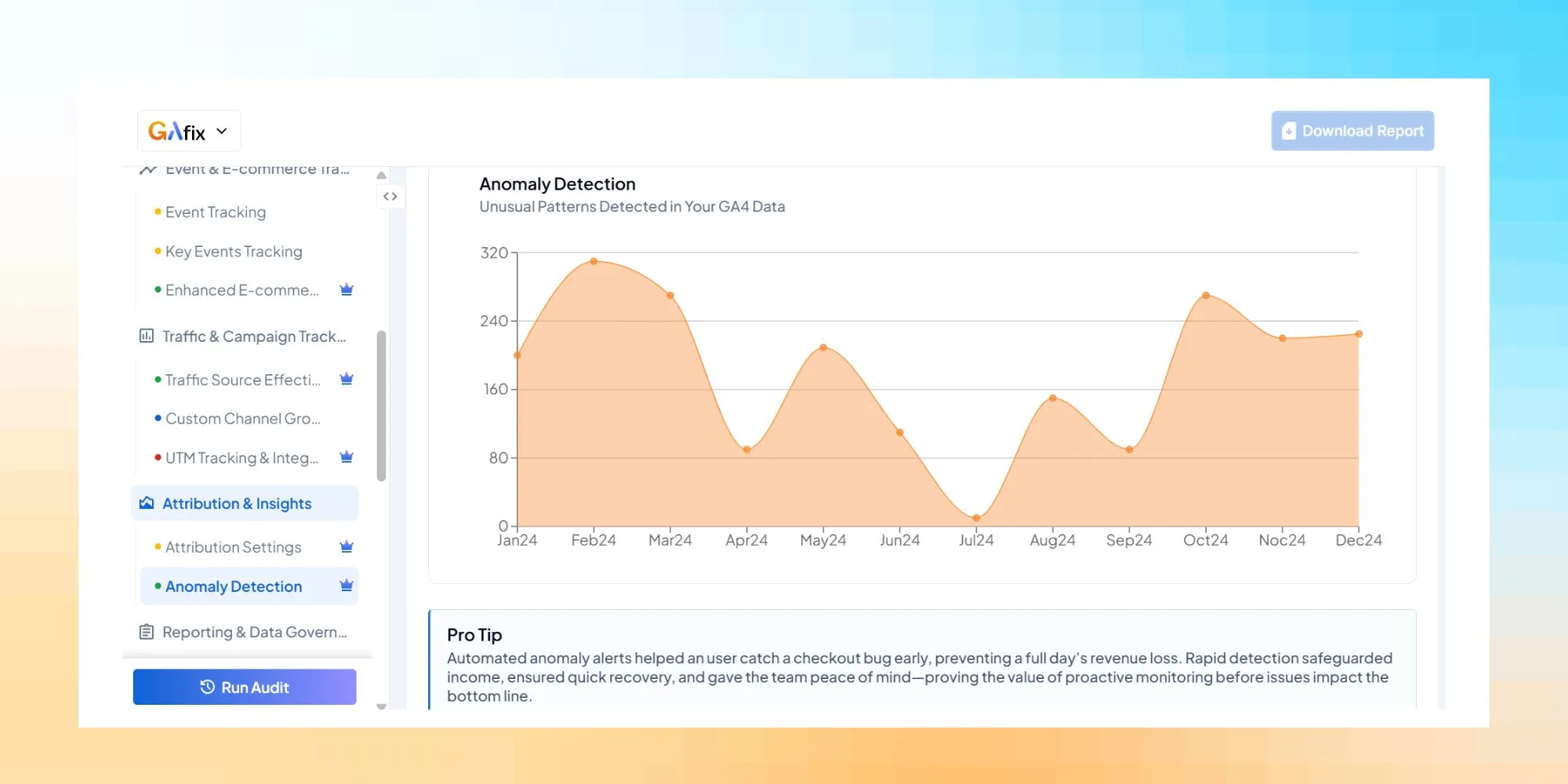
Attribution settings directly impact how conversion credit is assigned.
We audit:
- Attribution settings (Pro)
- Lookback windows
- Reporting identity configuration
- Google Signals configuration
- Cross-device stitching impact
- Anomaly detection (Pro)
- Inconsistent metric behavior
- Unexpected conversion spikes
Our GA4 audit tool identifies abnormal behavior patterns that manual reviews often miss.
This is where insight becomes actionable.
5. Reporting & Data Governance
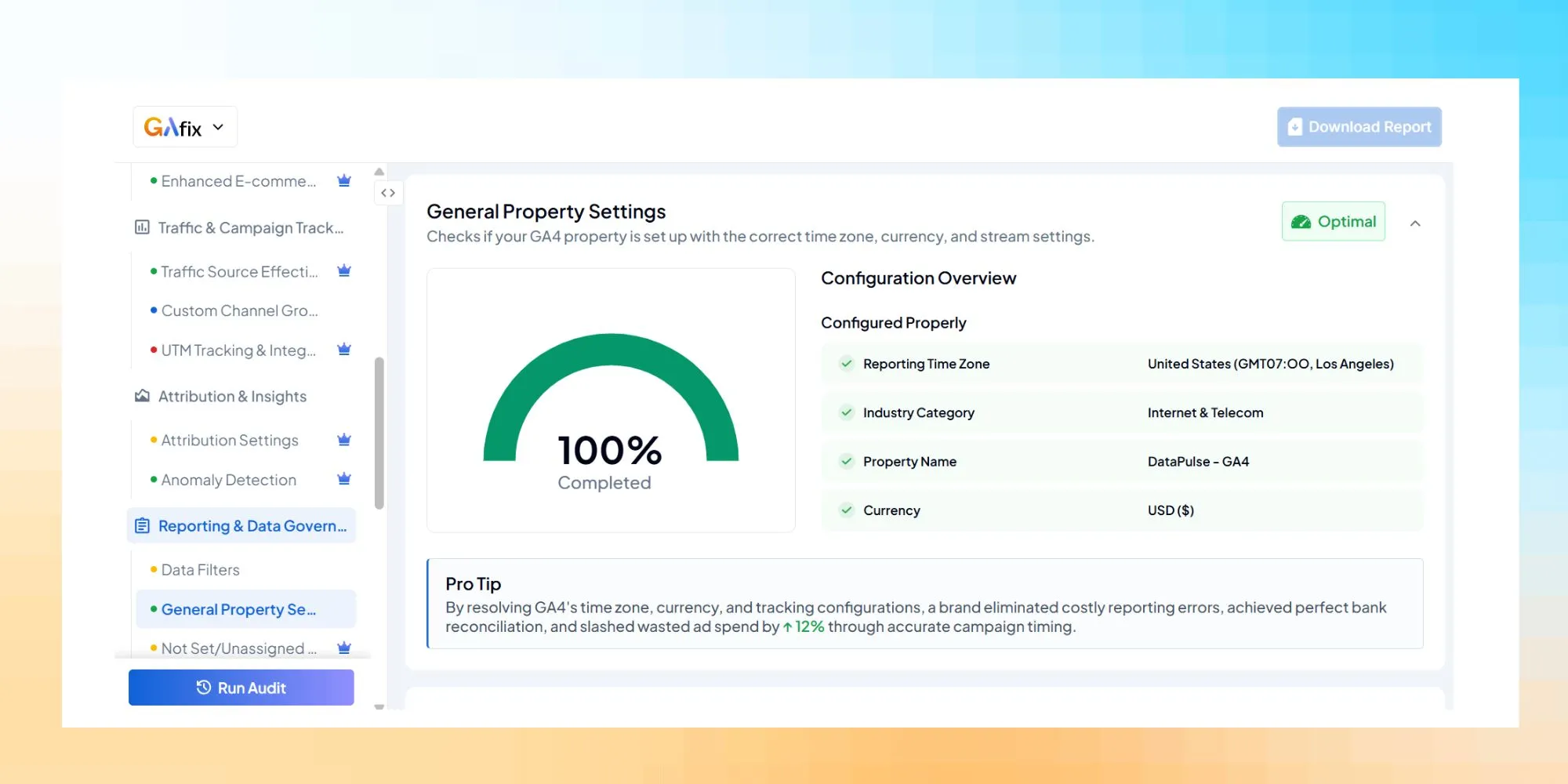
Data accuracy isn’t just about collection — it’s about governance.
We audit:
- Data filters (internal traffic, developer traffic)
- Not Set / Unassigned report anomalies (Pro)
- Data retention configuration (Pro)
- Google Signals & Data Retention alignment
- GA4 reporting logic
- Looker Studio dependencies
- Google Sheets exports integrity
- Analytics setup documentation
A comprehensive Google Analytics audit ensures your reporting layer reflects clean, structured GA4 data.
6. Privacy & Compliance
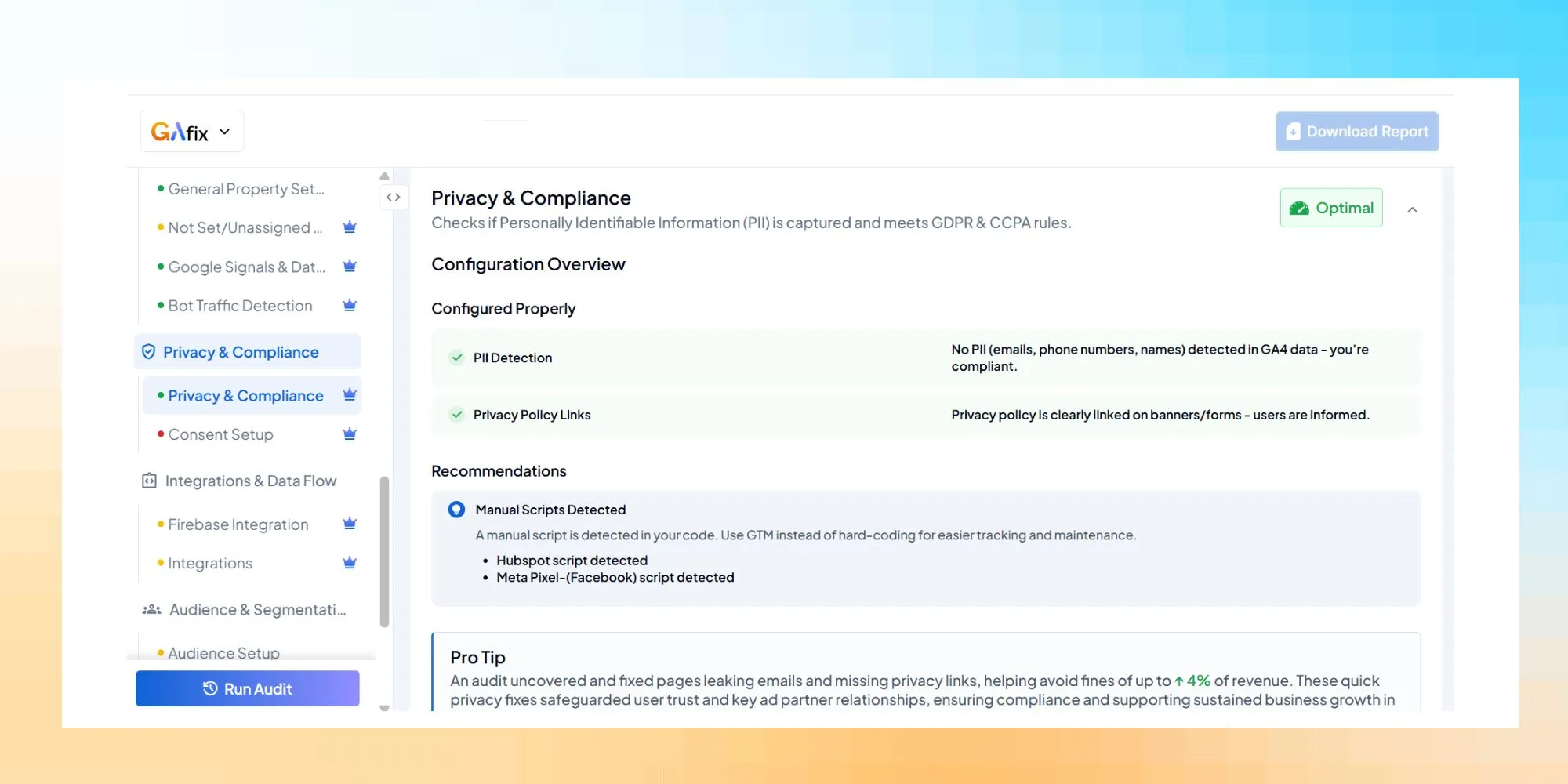
Privacy misconfiguration can distort GA4 reporting and create compliance risk.
We audit:
- Privacy & compliance setup (Pro)
- Consent setup validation (Pro)
- Regional compliance alignment
- Cookie mode configuration
- Whether GA4 uses Google Signals correctly under consent frameworks
Your GA4 configuration must balance marketing measurement with regulatory compliance.
7. Integrations & Data Flow
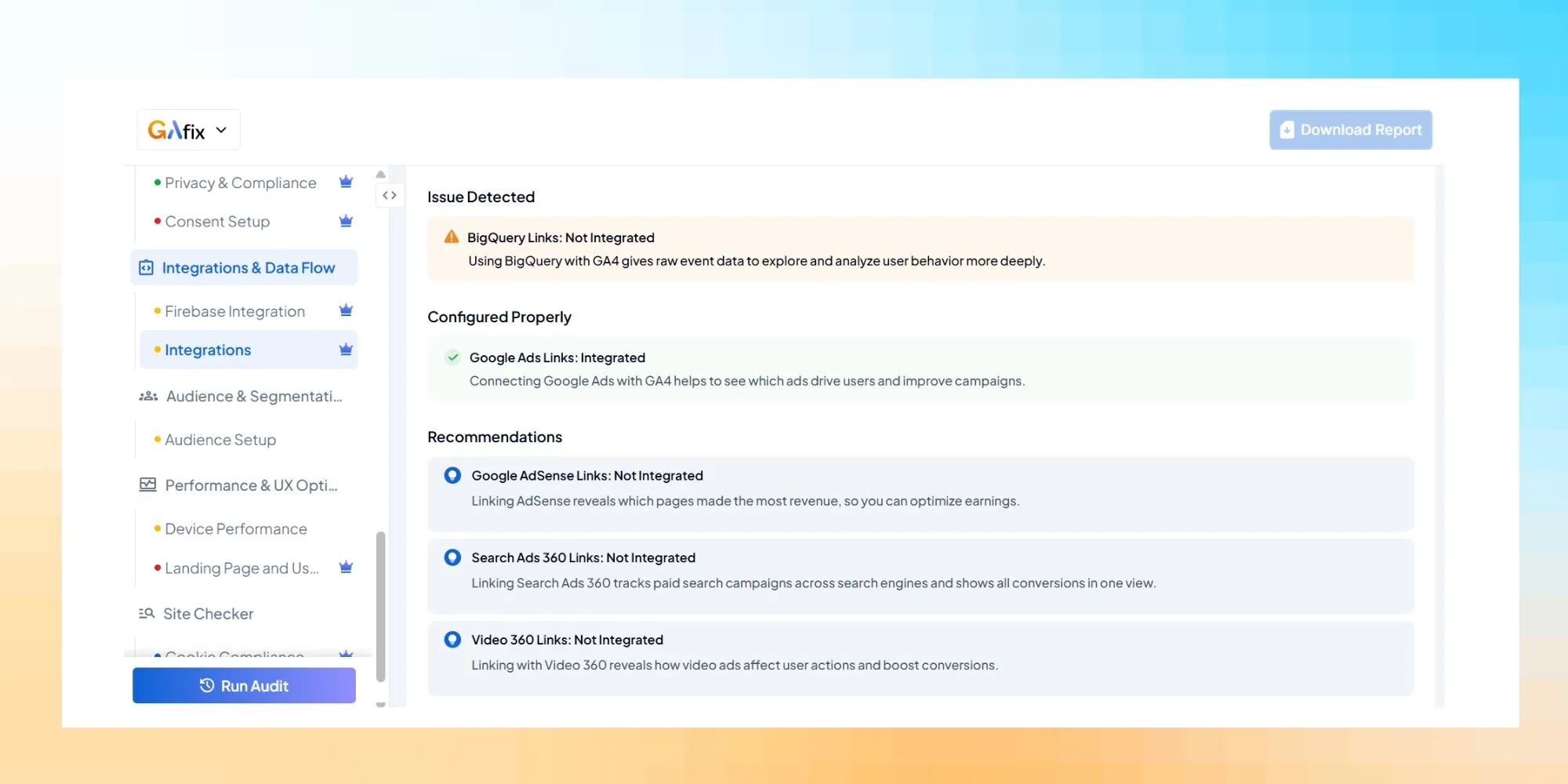
Modern marketing and analytics environments are interconnected.
We audit:
- Firebase integration (Pro)
- Platform integrations (Pro)
- Google Search Console linkage
- CRM and third-party system alignment
- Whether GA4 data flows correctly into analytics tools
Broken integrations create reporting blind spots.
We ensure your GA4 ecosystem supports your full marketing stack.
8. Audience & Segmentation
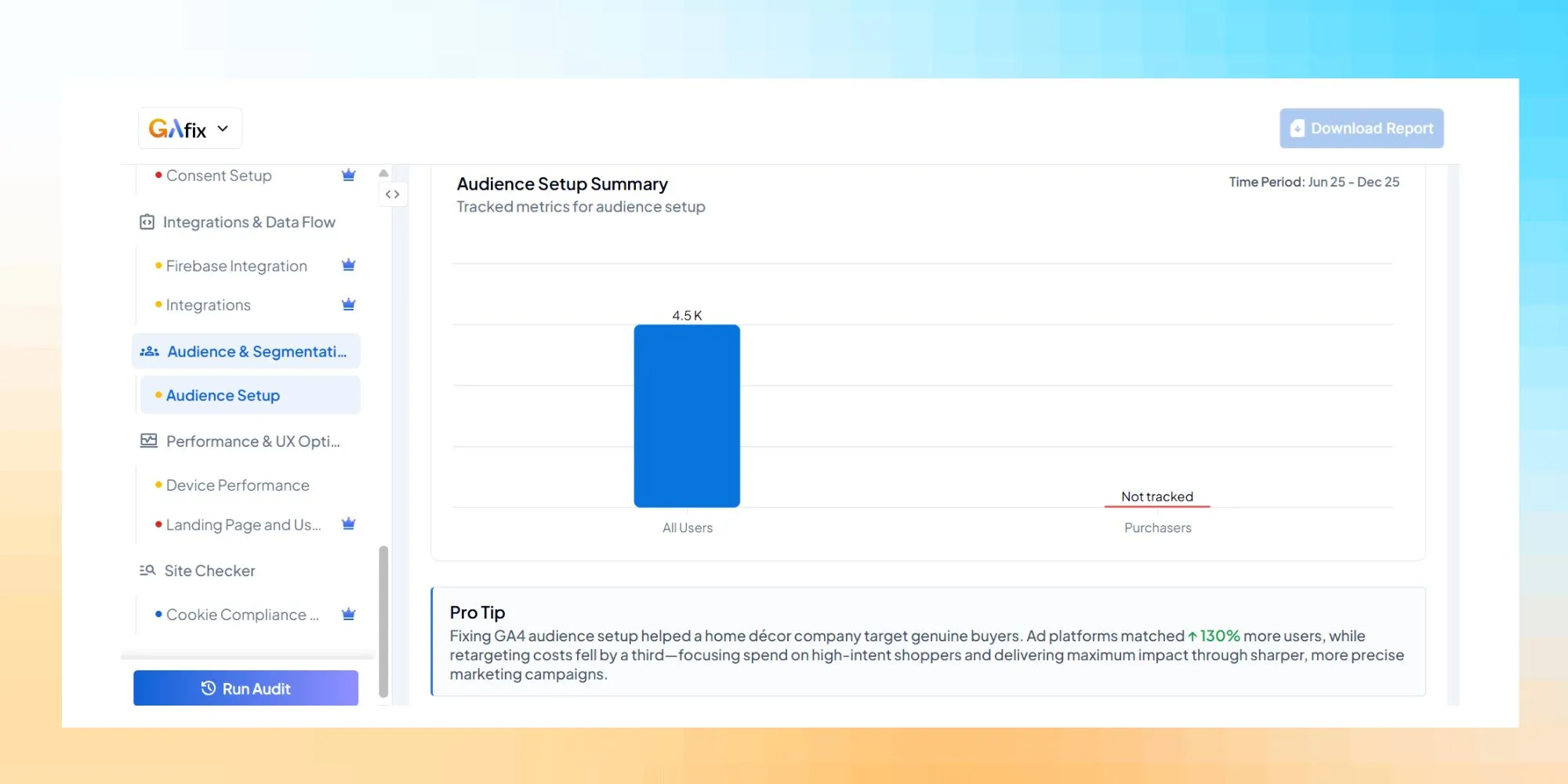
Audience configuration impacts remarketing, personalization, and reporting depth.
We audit:
- Audience setup accuracy
- Inclusion/exclusion logic
- Membership duration
- GA4 audience definitions for Google Ads
- Whether segmentation reflects real user behavior
Poor audience setup limits optimization potential.
9. Performance & UX Optimization
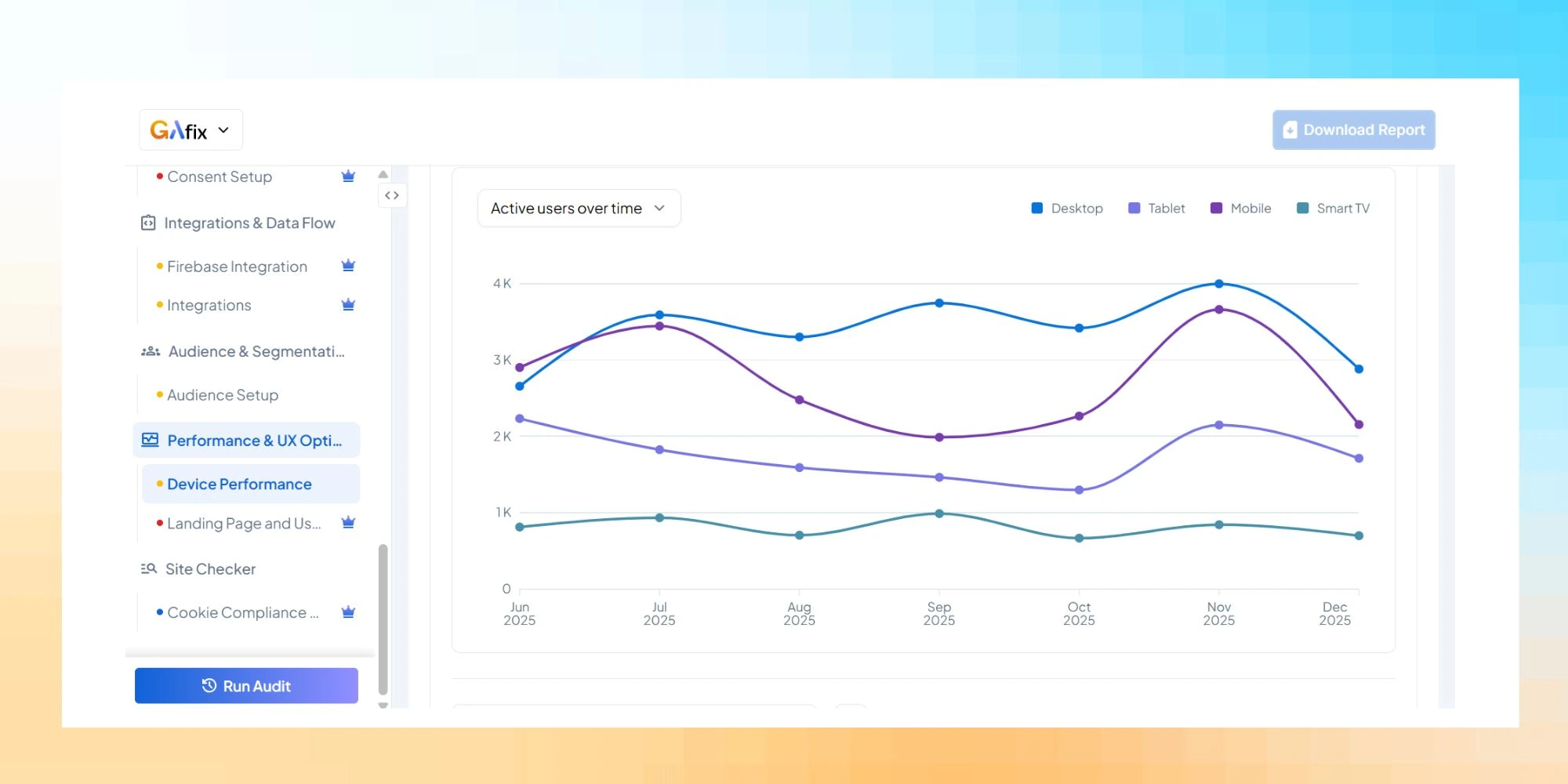
GA4 is not just about measurement — it’s about optimization.
We audit:
- Landing page performance signals
- Page views integrity
- Funnel continuity
- Drop-off behavior
- User behavior patterns
- Engagement metric reliability
This pillar translates analytics data into optimization opportunities.
Because a GA4 audit should help you optimize GA4 — not just diagnose it.
Why This Framework Matters
Most companies perform a basic audit once.
We built a structured GA4 audit tool with proprietary checkpoints to ensure repeatable, consistent analytics audits — regardless of who conducts them.
This eliminates reviewer bias.
It ensures a comprehensive audit every time. And it gives you documented audit findings you can act on.
Whether your GA4 implementation is new, part of a GA4 migration from Universal Analytics, or already mature, this framework ensures your GA4 data supports confident decision-making.
Why Regular GA4 Audits Are Needed
A GA4 audit is necessary for the following key reasons:

1. Better Insights: Gaps in data collection usually don’t look like gaps. They show up as incomplete stories. Audits expose missing steps, undertracked behaviors, or metrics that exist but don’t support real analysis. That review is what separates data volume from usable insight.
2. Enhanced Performance Measurement: GA4 is designed around user journeys, but that only works if touchpoints across devices and sessions are stitched correctly. Audits verify whether KPIs actually represent end-to-end behavior, or whether breaks in tracking are flattening or fragmenting performance signals.
3. Improved ROI: Misconfigured conversions or engagement metrics usually show up first in spend decisions. Channels start to look better or worse than they really are. A GA4 audit tests whether the measurement still reflects the business intent. That check makes it clearer which performance is real and which is just a side effect of flawed instrumentation.
4. Data Accuracy: Tracking configurations tend to degrade over time, leading to tags being reused, settings changing, and assumptions going stale. An audit checks whether what’s being collected today still reflects what the business thinks it’s measuring. Without that reset, “accurate” data slowly stops being accurate.
5. Compliance and Privacy: Consent and privacy controls are usually treated as “done” and rarely revisited. Audits challenge that assumption by examining when data is actually collected and under what conditions. Compliance issues tend to surface late unless someone looks deliberately.
6. Troubleshooting Issues: When numbers stop lining up, an audit gives you a way to follow the trail back to the source. Most of these issues aren’t new, they’ve just been sitting there without attention. An audit brings them to the surface before they start affecting more decisions.
7. Optimization of Features: Although GA4 is adaptable, this flexibility frequently leads to features that are either left inactive or just partially completed. Audits frequently reveal configurations in which capability is technically there but is essentially invisible since it isn't linked to reporting or decision workflows. The objective is to make sure the features already in place are actually working, not to add more.
Manual GA4 Audit vs GA4 Audit Tool: A Practitioner’s Perspective
There’s nothing wrong with a manual google analytics 4 audit.
In fact, every serious google analytics audit should include practitioner oversight.
But here’s the reality: manual analytics audits alone are inconsistent, time-intensive, and highly dependent on who performs them.
After auditing hundreds of GA4 properties, the difference becomes clear.
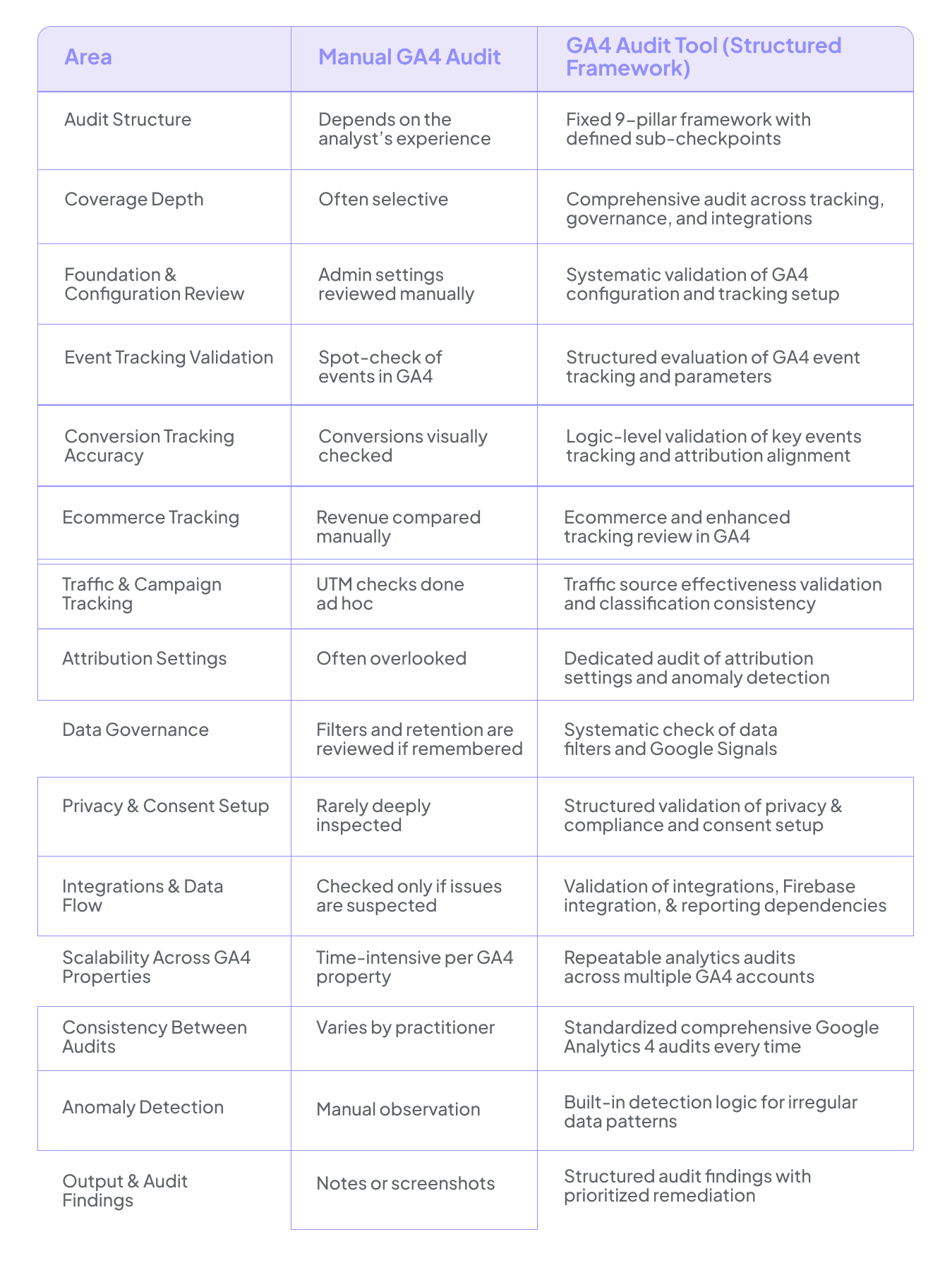
A manual Google Analytics audit relies heavily on the analyst. A structured Google Analytics audit tool ensures the audit itself is reliable.
Automation brings consistency. Practitioner oversight brings interpretation.
The strongest approach combines both: a systematic Google Analytics audit tool backed by expert analysis to ensure accurate data, protect data integrity, and help you optimize GA4 with confidence.
Deliverables & Actionable Audit Findings: What You Walk Away With After a GA4 Audit
A serious GA4 audit shouldn’t leave you with a long checklist and no direction.
It should tell you, clearly and confidently, whether your google analytics 4 setup can be trusted — and exactly what needs to change if it can’t.
After conducting a comprehensive google analytics audit, you receive a structured report built around our 9-pillar framework. Instead of isolated observations, you get a connected evaluation of your GA4 property — from foundation and configuration to ecommerce tracking, attribution settings, privacy controls, and integrations.
But the real value isn’t just documentation.
It’s clarity.
We translate technical findings into business impact.
If conversion tracking is misconfigured, you’ll understand how it affects your funnel reporting. If transactions in GA4 don’t align with backend revenue, the discrepancy is clearly surfaced. If attribution settings distort traffic source effectiveness — especially when you use Google Ads — you’ll see how that influences budget decisions.
Every audit finding is prioritized by impact. Some issues are minor configuration gaps. Others directly compromise data accuracy, revenue reporting, or marketing optimization. You’ll know the difference immediately.
For ecommerce businesses, the audit includes a focused revenue validation layer — confirming whether GA4 ecommerce tracking reflects actual transactions, whether duplicate tracking exists, and whether enhanced ecommerce tracking is structured correctly. This ensures your analytics data supports real decision-making, not inflated numbers.
We also assess governance and sustainability. A proper audit reviews data filters, Google Signals usage, data retention settings, and consent configuration. Maintaining data integrity isn’t just about today’s reporting — it’s about long-term reliability.
Most importantly, you receive a clear remediation roadmap. Not generic advice. Not vague recommendations. Specific steps to optimize GA4, correct tracking issues, refine GA4 configuration, and strengthen your analytics setup. If updates are required inside Google Tag Manager or within your GA4 property, the path forward is clearly defined.
Downloadable Audit Reports (Pro)
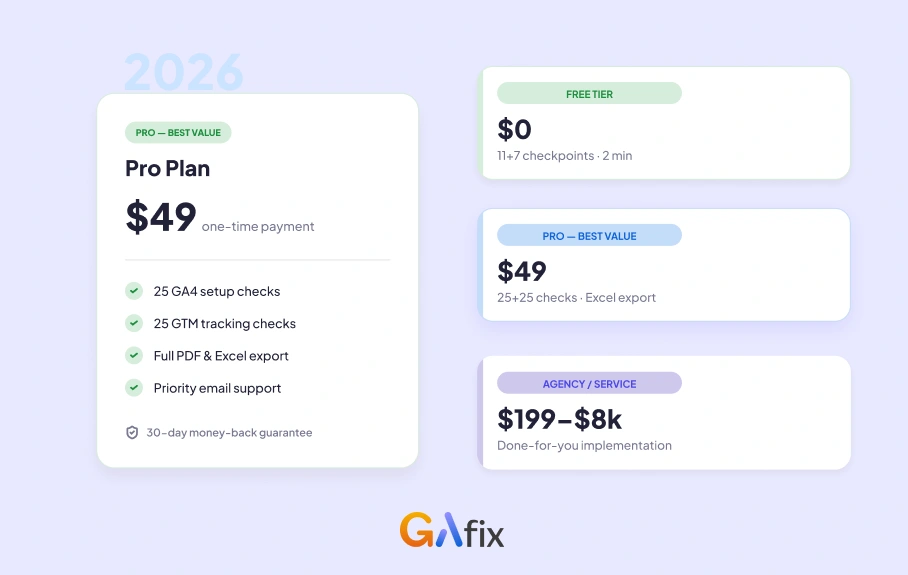
With a Pro audit, you can download your results as a structured Excel report.
The Excel report includes:
- Documented audit findings
- Identified tracking and configuration issues
- Guidance on how to fix them
This makes it easy to share with developers, teammates, or clients — and use the audit for internal documentation, implementation reviews, or client reporting.
Excel exports are available for Pro audits only, ensuring full access to all 18 GA4 checkpoints and deeper insight layers.
The outcome of a comprehensive Google Analytics 4 audit is simple:
You understand whether your GA4 data is accurate.
You know where your tracking risks exist.
And you gain the confidence to optimize marketing and analytics decisions based on reliable data.
Find more information about GA4 audit pricing here. Or read real-world case studies to see how businesses uncovered hidden GA4 issues and fixed them.
Who This Google Analytics Audit Is For
Not every business needs a deep GA4 audit.
But if you rely on GA4 to guide marketing spend, measure conversion performance, or report revenue, you can’t afford blind spots in your Google Analytics 4 setup.
This audit is built for teams that depend on data to make decisions.
Marketing Teams Managing Paid Traffic
If you use Google Ads or other paid channels, your budget allocation depends on accurate conversion tracking and traffic source effectiveness.
This audit is for you if:
- You’re unsure whether GA4 conversions match platform data
- Attribution settings feel unclear
- You see “Direct” traffic spikes you can’t explain
- Your funnel performance doesn’t align with campaign results
When GA4 data is misaligned, optimization decisions suffer.
Ecommerce Businesses
If you run ecommerce, the stakes are higher.
This Google Analytics audit is essential if:
- Transactions in GA4 don’t perfectly match backend revenue
- You suspect duplicate tracking
- Enhanced ecommerce tracking was implemented quickly
- You migrated from Universal Analytics and never validated the setup
Revenue reporting must be precise. Small ecommerce tracking issues compound quickly.
Founders & Growth Leaders
If you review dashboards weekly and base strategy on analytics data, you need to know one thing:
Can your GA4 data be trusted?
This audit helps you understand:
- Whether your GA4 configuration supports decision-making
- Whether conversion tracking reflects reality
- Whether attribution logic is influencing strategic calls
It protects your decision layer.
Agencies & Analytics Consultants
If you manage multiple GA4 properties, consistency matters.
This audit supports:
- Standardized analytics audits across accounts
- Faster validation during onboarding
- Structured GA4 implementation reviews
- Scalable tracking quality control
It ensures every GA4 property is evaluated using the same framework.
Teams Without Deep GA4 Expertise
You don’t need to be an analytics specialist to run this audit.
If you have read access to your GA4 property, you can audit your Google Analytics setup and receive structured findings without technical configuration.
The audit tool evaluates your GA4 setup. The findings help you understand what needs attention.
Contact us to review your GA4 setup and get clear answers on what’s working and what needs fixing.
Who It’s Not For
If GA4 is installed but you don’t actively use the data to guide marketing, reporting, or revenue decisions, a comprehensive audit may not be urgent. But if you use GA4 to optimize campaigns, analyze user behavior, or measure ecommerce performance, data accuracy isn’t optional. A proper Google Analytics audit ensures your analytics setup supports growth, not guesswork.
Benefits of Regular GA4 Audits
Auditing your GA4 data goes beyond the basic technical exercise; it’s about whether the numbers you rely on can actually hold up under scrutiny. The real GA4 audit importance shows up over time: catching slow drift in tracking, preventing silent breakage, and keeping analytics usable as the product, site, and marketing stack evolve. Regular audits don’t make data perfect, but they reduce the gap between what teams think is happening and what’s actually being measured.

1. Enhanced Marketing Strategies
Audits regularly show a disconnect between what’s tracked and how marketing teams judge success. The events are there, but they describe actions that don’t carry much weight, or they’re stitched together with inconsistent signals. Looking closely at event definitions, audience logic, and conversions is how GA4 gets pulled back into line with real user behavior. Until that happens, results are easy to misread. After link correction, the efforts are pointed in the right direction.
2. Reliable Data for Decision-Making
A GA4 audit forces teams to confront whether the setup actually behaves the way they think it does. Small misconfigurations, missing events, and edge cases that only affect certain users or paths, but over time, they bend reports just enough to matter. Fixing those gaps isn’t about making the data look cleaner; it’s about cutting down the assumptions baked into decisions. When tracking starts to reflect real behavior, analysis around performance, engagement, and campaigns stops feeling inferred and starts feeling defensible.
3. Increased Efficiency
A GA4 audit cuts through that by removing redundant tracking, untangling overlaps, and exposing gaps that keep resurfacing in reports. The benefit isn’t better-looking dashboards; it’s fewer explanations, fewer caveats, and more time spent doing actual analysis.
4. Better ROI
When tracking is misaligned, spending decisions usually suffer first. A GA4 audit checks whether conversions, engagement signals, and attribution logic actually line up with business outcomes, not just definitions in the interface. Once those measurements are grounded, it becomes clearer which channels and tactics deserve investment and which only a waste of spend. This indeed lifts up the ROI.
5. Future-Proof Analytics
GA4 doesn’t stand still, and neither do real-world setups. Configurations that were acceptable a year ago often lag behind quietly as products change, sites evolve, and Google Analytics updates roll out. Ongoing audits help catch those gaps before they harden into limitations.
GA4 + Google Ads + Search Console Alignment
Most tracking issues don’t live inside GA4 alone. They happen in the gaps between platforms.
When Google Analytics 4, Google Ads, and Google Search Console aren’t properly aligned, reporting becomes fragmented. Attribution shifts. Conversions don’t match. Paid and organic performance look disconnected.
This section focuses on validating how your analytics and advertising ecosystem works together.
Why Alignment Matters
If GA4 is your reporting layer, Google Ads is your optimization engine, and Search Console is your organic visibility source, they must speak the same language.
Misalignment can lead to:
- Google Ads conversions not matching GA4
- Imported GA4 conversions optimizing the wrong events
- Organic landing pages ranking but not converting properly
- “Direct” or “Unassigned” traffic masking real acquisition sources
- Revenue discrepancies between ad platforms and analytics
Even small configuration errors can distort budget decisions.
What We Validate
Google Ads Integration
- Is GA4 properly linked to Google Ads?
- Are the correct GA4 conversions imported into Google Ads?
- Is enhanced conversion tracking structured correctly?
- Are attribution settings aligned with campaign objectives?
If imported conversions are misconfigured, your bidding strategy may optimize for the wrong signal.
Search Console Integration
- Is Search Console correctly connected to GA4?
- Are organic queries mapped to the right landing pages?
- Are there discrepancies between indexed pages and tracked pages?
- Is organic traffic properly categorized in GA4 reports?
Organic performance should support your conversion analysis, not operate in isolation.
Attribution & Source Integrity
- Are UTM parameters structured consistently?
- Is cross-domain tracking impacting campaign attribution?
- Are referral exclusions masking real traffic sources?
- Is consent mode affecting channel reporting?
This ensures paid, organic, referral, and direct traffic are classified accurately.
The Outcome
When GA4, Google Ads, and Search Console are aligned:
- Conversion data becomes reliable
- Campaign optimization improves
- Organic and paid insights connect
- Revenue attribution reflects reality
Instead of questioning which platform is “right,” you gain confidence that the ecosystem works as one. And that’s when marketing decisions become clearer, faster, and backed by trustworthy data.

Frequently Asked Questions
How do I know if my GA4 setup is correct?

You don’t assume it’s correct just because data is showing. A proper GA4 audit validates event tracking, conversion configuration, attribution settings, ecommerce structure, and platform integrations. If conversions don’t align with backend numbers, traffic sources look inflated, or revenue reporting feels inconsistent, those are signals your setup needs review. The only reliable way to know your Google Analytics 4 property is accurate is through structured validation, not surface-level checks.
Why don’t my GA4 conversions match Google Ads?
Conversion mismatches usually stem from incorrect event imports, attribution model differences, duplicate or missing tags, or consent-related tracking gaps. If Google Ads is optimizing based on misconfigured GA4 conversions, bidding strategies can be skewed. Alignment between GA4 and Google Ads is critical because even small discrepancies can distort performance reporting and impact budget allocation decisions.
Why is my GA4 revenue different from my actual sales?
Revenue discrepancies often happen due to duplicate purchase events, missing transaction IDs, incorrect ecommerce parameters, or cross-domain tracking issues. In some cases, refunds or payment gateway flows are not properly tracked. A structured GA4 ecommerce audit verifies whether purchase tracking logic mirrors your real checkout behavior. Without that validation, reported revenue in GA4 may look close, but still be materially inaccurate for decision-making.
Confident Decisions Start with Accurate Tracking
Ensure your GA4 and GTM are correctly configured, reliable, and ready for scale.
.webp)

Subscribe To Our Newsletter


