






Google Analytics 4 is a great tool, but its data is only as reliable as the tracking it does. Misconfigured event errors, broken attributions, and serious consent violations can affect the tracking data, eventually leading you to make wrong marketing decisions.
And this isn’t a rare event. Nearly 40% of GA4 properties suffer from event configuration errors that compromise data integrity. That’s exactly what a Google Analytics audit tool helps you avoid.
This article discusses the 7 best GA4 audit tools for 2026 across a variety of use cases based on real-world requirements by marketers. Whether you're looking for GA4 audit software, the best Google Analytics audit tools, or a comprehensive GA4 auditing tools comparison, this list has it all.
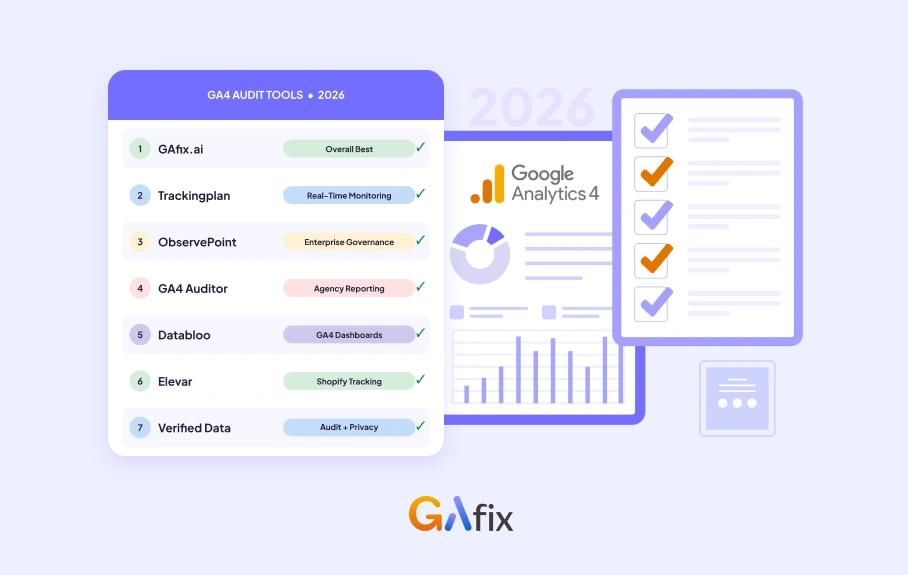
Here is a quick overview of the 7 tools covered:
- GAfix.ai
- Tracking plan
- ObservePoint
- GA4 Auditor
- Databloo
- Elevar
- Verified Data
We evaluated each tool against real-world implementation scenarios, especially tag validation, data layer accuracy, consent mode handling, report quality, and pricing.
How We Chose the Best GA4 Audit Tools
For transparency, here's the basis for our evaluation. Each tool on this list was assessed against the criteria that matter most for real-world analytics work:
• Tag firing validation
• Data layer monitoring
• Conversion tracking accuracy
• Automated vs. manual audit capabilities
• Real-time monitoring
• Pricing transparency
• GTM and GA4 API integration
• E-commerce tracking support
• Consent management coverage
• Report depth and actionability
Only tools that performed well across the majority of these areas made the final list of the best Google Analytics audit tools. No mention is based on brand recognition alone.
Top 7 Best GA4 Audit Tools for 2026
Each tool in the list below is selected because it works to solve a real problem in the GA4 tracking framework.
1. GAfix.ai | Overall Best GA4 Audit tool for Marketing Teams
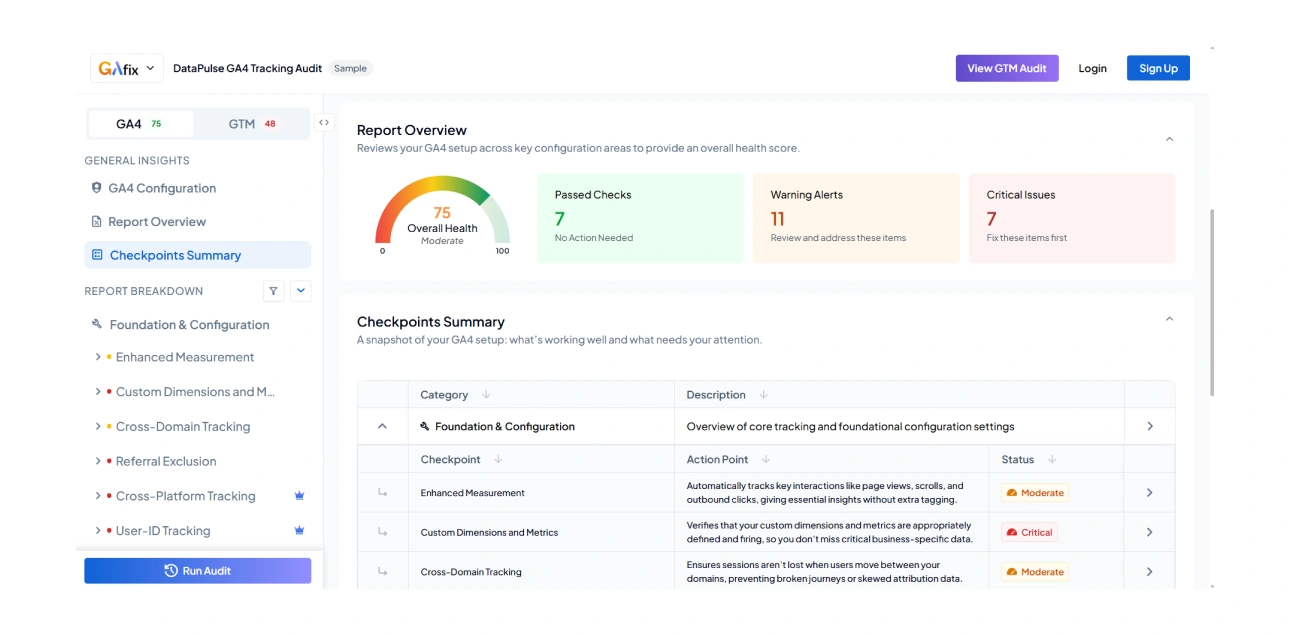
GAfix.ai is the best GA4 audit tool for marketing teams that need a complete, actionable diagnostic without a technical setup process. It runs a 9-pillar, 25+ checkpoint audit across every layer of your GA4 property, plus 25+ checks across your GTM container, a total of 50+ checkpoints - including foundation and configuration, event and ecommerce tracking, traffic and campaign attribution, reporting governance, privacy and consent, integrations, audience logic, and UX performance signals, and delivers findings in under two minutes.
What makes it stand apart from every other tool on this list of GA4 auditing tools is scope combined with simplicity. Most GA4 audit tools either go deep on one area or produce a report that requires an analyst to interpret. GAfix covers the full GA4 ecosystem in a single run and every GAfix finding comes with a plain language specific fix recommendation attached. You read a finding and you know exactly where to go next.
It catches the issues that actually cost marketing teams money: duplicate events inflating revenue, attribution distortion between GA4 and Google Ad, misconfigured data streams, referral exclusion gaps, and consent settings that disturb channel reporting. GTM gets the same treatment. Unused tags, misfiring triggers, ecommerce object validity, and container governance are all checked in the same run.
For agencies and teams auditing multiple properties, the credit-based pricing model means no subscription lock-in and no paying for access you don't use. The 5-audit bundle brings the per-audit cost under $40, a fraction of what a manual audit costs in analyst time.
Best For: Marketing teams running paid and organic traffic, agencies auditing GA4 across a roster of clients, and anyone who needs to check a setup quickly
Key Strengths: 20+ checkpoints across data streams, events, conversions, and Firebase integration; anomaly detection, downloadable PDF report, recommendations tied to the specific checkpoint that failed, credit-based pricing, listed on AWS Marketplace, ISO certified
Possible Limitation: No continuous real-time monitoring yet
Pricing:
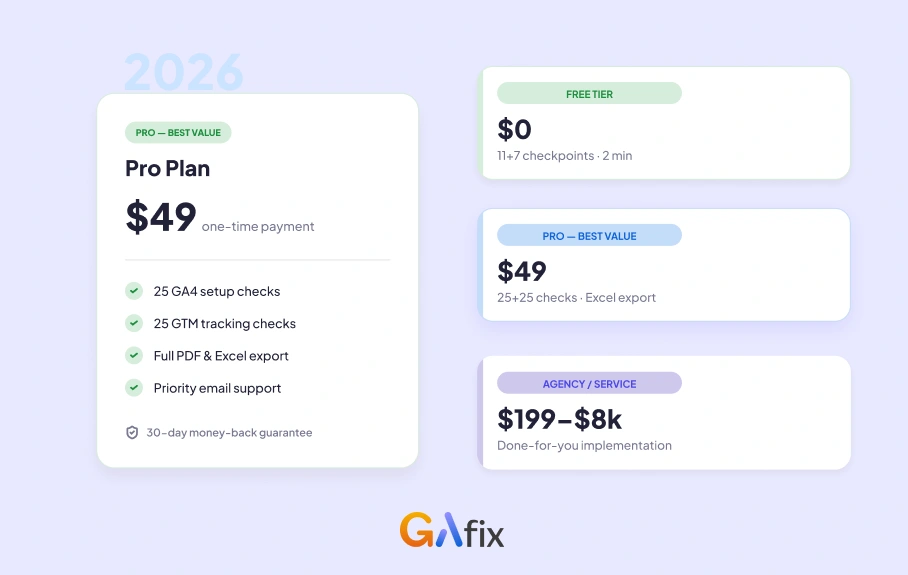
- Free: 11 GA4 + 7 GTM checkpoints, single audit, no export
- Single Audit ($49): All 50+ GA4/GTM checks, Excel export, personalized recommendations
- 5-Audit Bundle ($197): 5 full audits (50+ GA4/GTM checks), best value for agencies and ongoing use
2. Trackingplan | Best for Continuous Real-Time Monitorin
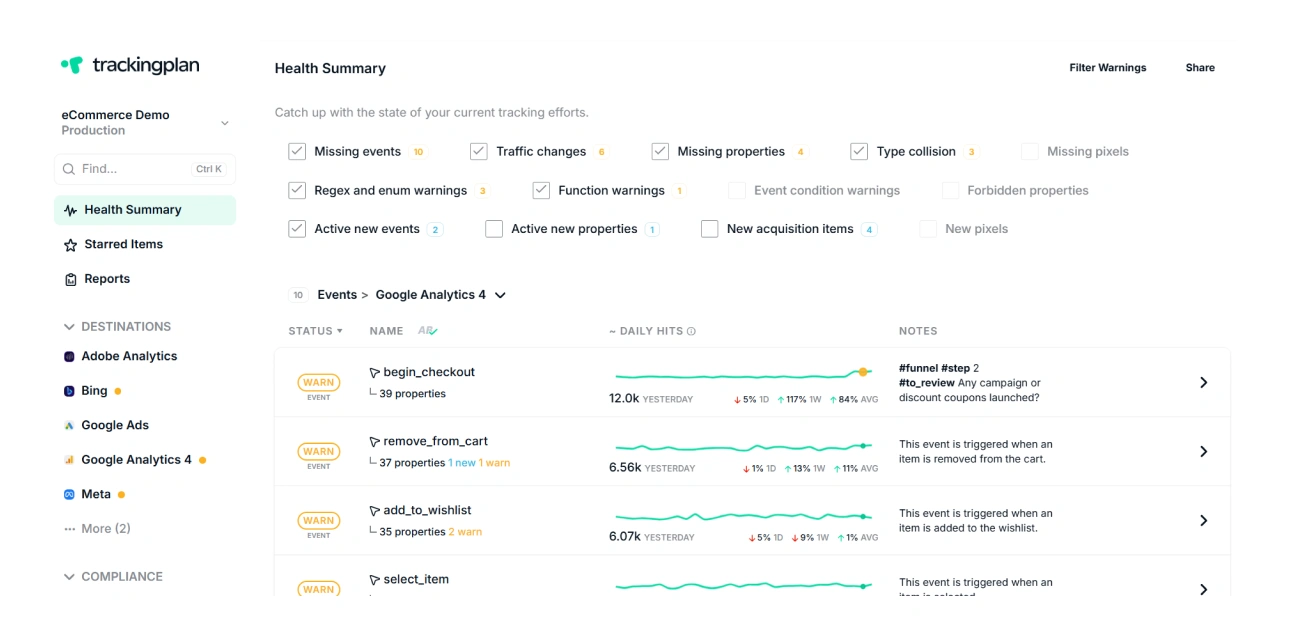
The second best GA4 audit tool is Trackingplan, an analytics observability platform that treats GA4 auditing as continuous rather than a scheduled task. It watches every event and data point as users move through your site or app, around the clock.
Most GA4 audit tools scan once and produce a report. But Trackingplan works differently. It monitors your tracking in real time and alerts you when any event breaks, a parameter drops out, or a pixel stops firing. It simultaneously covers GA4, GTM, Meta, TikTok, and server-side setups.
Best For: Analytics teams who need instant tracking
Key Strengths: Real-time monitoring across a variety of platforms, dataLayer validation, root-cause analysis and simple copy-paste installation
Limitations: More complex than a one-time audit tool
Pricing: Custom pricing based on tracking volume and MAU, ranging from $249 to $1750+
3. ObservePoint | Best for Enterprise Tag Governance
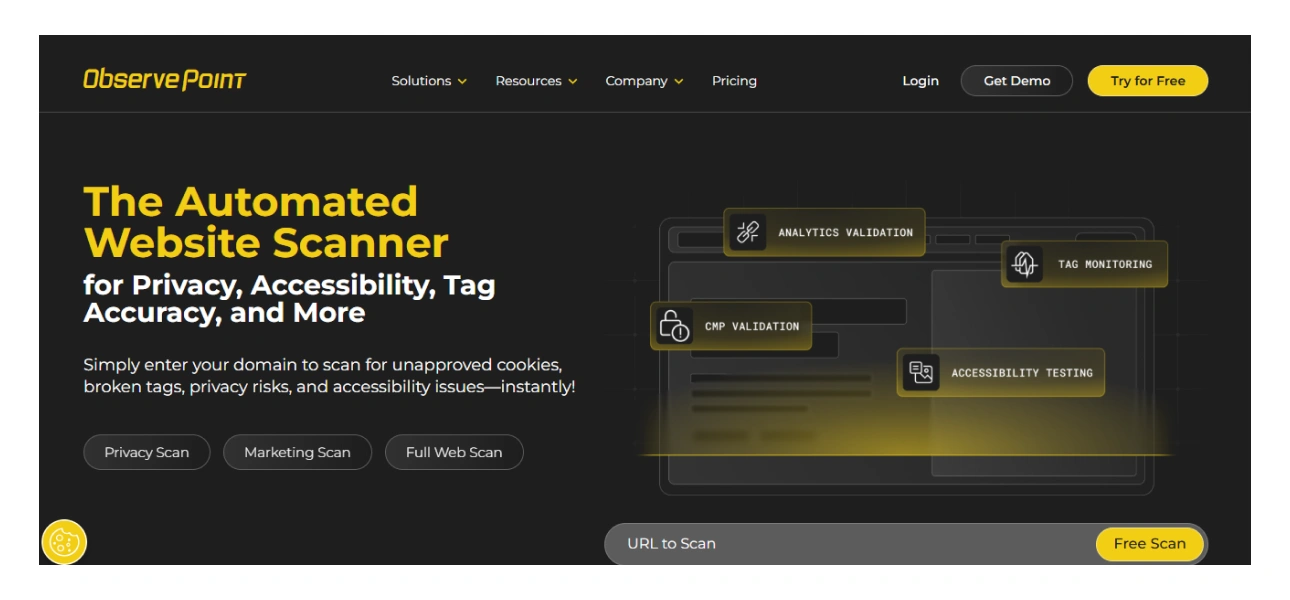
ObservePoint is an enterprise-grade web governance platform built for organizations looking for automation and compliance monitoring. It scans your website to validate analytics, consent, and data collection at scale. If you are looking for insights on your highest traffic pages and the below expectation performers, ObservePoint tracks such gaps as well to help you see the possible paths of improvement. While most best Google Analytics audit tools work at the property or session level, ObservePoint operates at a site-wide scale.
Best For: Teams with complex multi-domain properties, and strict regulatory compliance obligations (GDPR, CCPA, HIPAA)
Key Strengths: Massive-scale page scanning (20,000+ pages per scan), Consent banner and privacy compliance validation, regional/geographic scan capability; Tag Initiator for tracking load order; Custom alert rules, data-layer validation, API access
Limitations: Steep learning curve. No self-serve checkout, pricing starts high for mid-market teams.
Pricing:
- Usage-based pricing on annual page scan volume.
- First 1,000 page scans free (no credit card required);
- Paid tiers start at $0.17/page, scaling down to $0.03/page
- Journey monitoring packages from $2,500–$30,000/year.
4. GA4 Auditor | Best for Agencies and Client Reporting
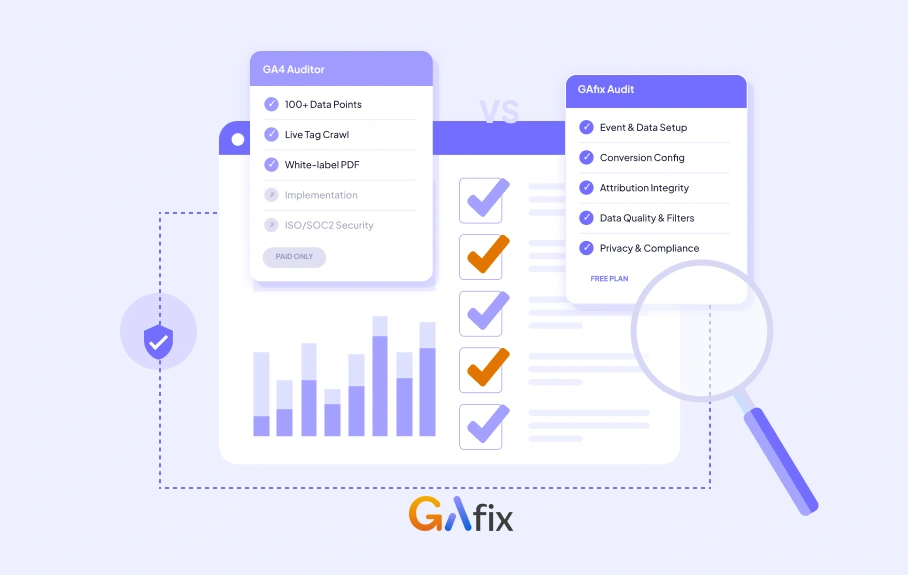
Among the most trusted GA4 auditing tools on the market, GA4 Auditor stands out. As an API-connected automated auditer, it can run 100+ configuration checks against your GA4 property and generate a professional 40+ page report. GA4 auditor is built specially to cater to agencies and consultants who need to deliver polished audit deliverables at scale.
Reports generated on it can be exported as PDF, PowerPoint, or Google Slides, with a prioritized action plan included, all with white-label reporting. It is one of the fastest Ga4 audit tools in this list to go from running an audit to sending it to a client.
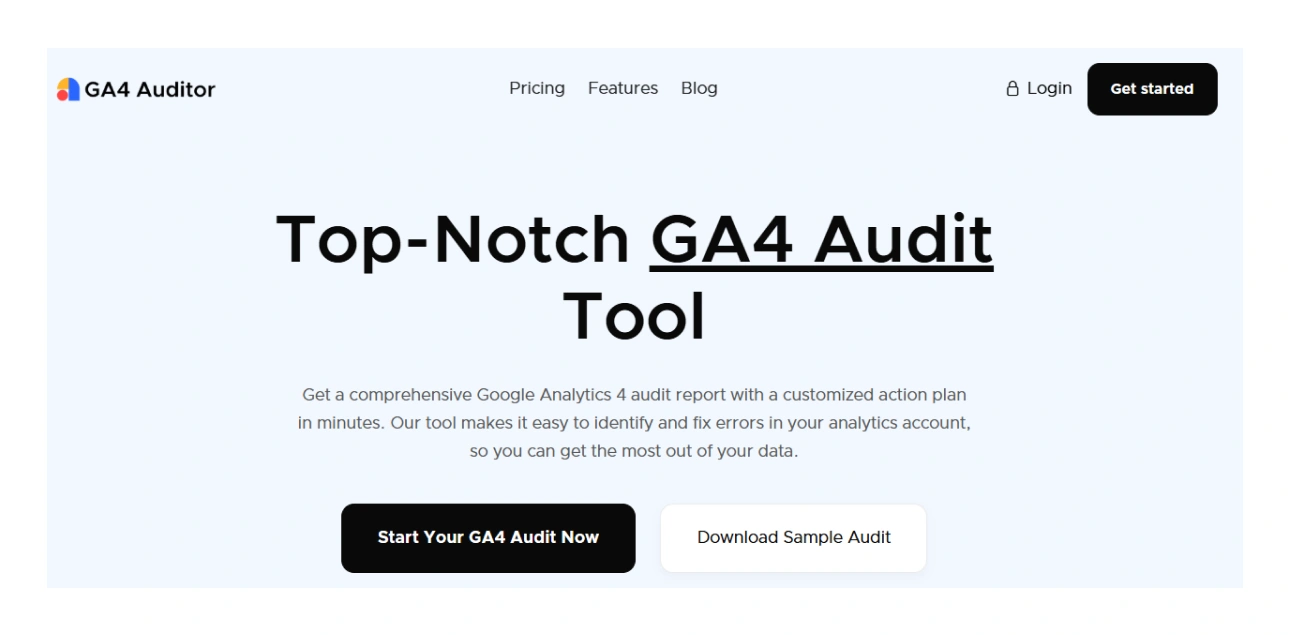
Best For: Agencies and freelance consultants delivering GA4 audit reports to multiple clients or marketers who require frequent audits with consistent branding
Key Strengths: 100+ automated configuration checks; 40+ page white-label report (PDF, PowerPoint, Google Slides); prioritized action plan output; under-5-minute audit completion; unlimited audits on Agency plan; direct GA4 API connection
Limitations: It reads the configuration state, nothing more. It won't catch a tag that's configured correctly but failing to fire. No continuous monitoring either; what you get is a snapshot of how things were set up the moment you ran it.
Pricing:
- One-Time Audit: $99 per audit
- Agency Pro Yearly: $999/year (unlimited audits, white-label branding features, client dashboard)
- Enterprise: Custom pricing for 100+ audits/year with dedicated support
5. Databloo | Best for GA4 Reporting and Dashboards
Another name in the best Google Analytics audit tools is Databloo, which is also the number one contributor on the Google Looker Studio gallery. It is a template platform trusted by 3,970+ clients across 150 countries that has powered more than 42,776 reports. Unlike traditional audit tools that diagnose things like tag-firing issues, Databloo gives teams pre-built, structured dashboards to monitor GA4 data quality and performance continuously.
Once your GA4 tracking validation is done, you can make your data visible and actionable at Databloo for stakeholders. It lets you connect a white-label, shareable Looker Studio dashboard to GA4 alongside Google Ads, GSC, Meta Ads, Instagram, YouTube, and WooCommerce in a single report.
Its Analytics4Now product bridges GA4 and legacy UA reporting for teams still managing the transition. Neil Patel and Avinash Kaushik endorse this platform.
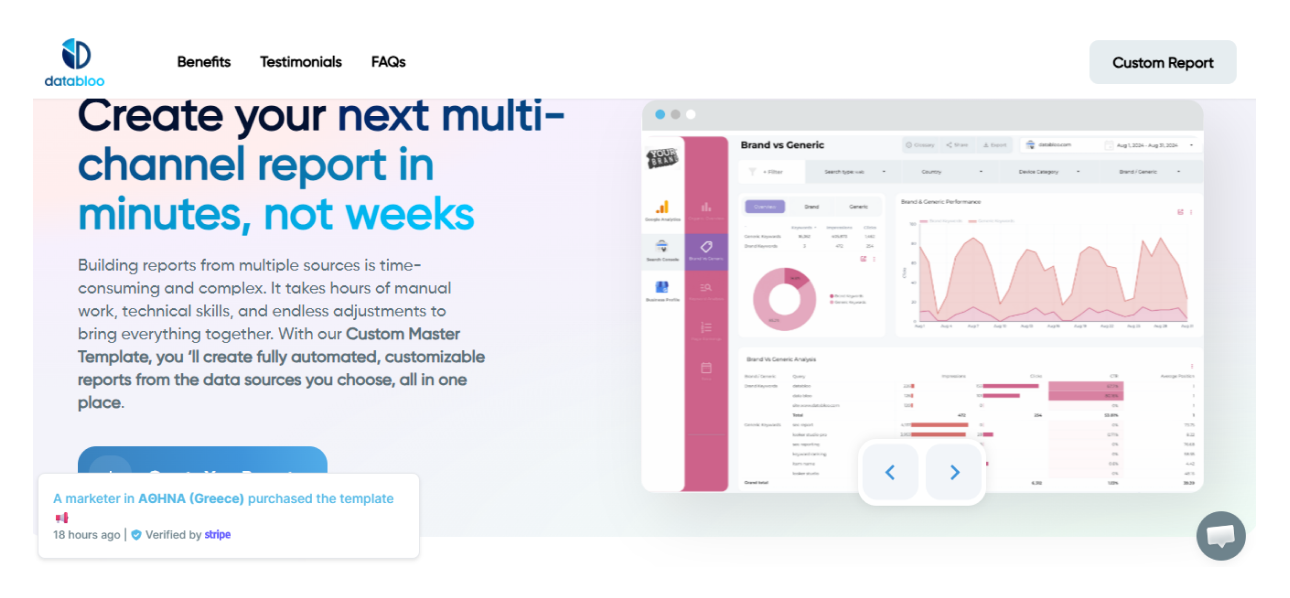
Best For: Agencies managing multiple client GA4 dashboards who need professional, shareable reports without building from scratch. Marketing teams requiring an automated multi-channel reporting can also find it useful
Key Strengths: 50+ pre-built templates (GA4, Google Ads, GSC, Meta, Instagram, YouTube, WooCommerce), one-click setup, white-label customization, free connectors for major ad and social platforms, scheduled email sharing, PDF export, and share-link options
Limitations: Not a tag auditing or QA tool. Does not detect misfiring events, duplicate tags, or consent violations
Pricing:
- Free demos available on all templates.
- Paid plans for individual and agency access.
- The agency plan uses a one-time payment model for unlimited access.
- Full pricing available on the Databloo website.
6. Elevar | Best for Shopify Server-Side Tracking
Next best GA4 audit tool worth your attention is Elevar, a server-side conversion tracking platform built for Shopify.
It connects to GA4, Meta, Google Ads, and 40+ other marketing destinations and continuously validates whether your tracking is actually firing correctly. Each channel gets an accuracy score, so you can see at a glance where things are healthy and where something's broken.
The difference from most GA4 audit softwares is that Elevar doesn't just run a one-time scan. It treats tracking accuracy as an ongoing operational metric, something you monitor the same way you'd monitor uptime.
The accuracy scores update continuously, which means tracking health shows up as a live dashboard rather than a report you run when something feels off. It also handles Google Consent Mode v2 natively on the server-side destinations.
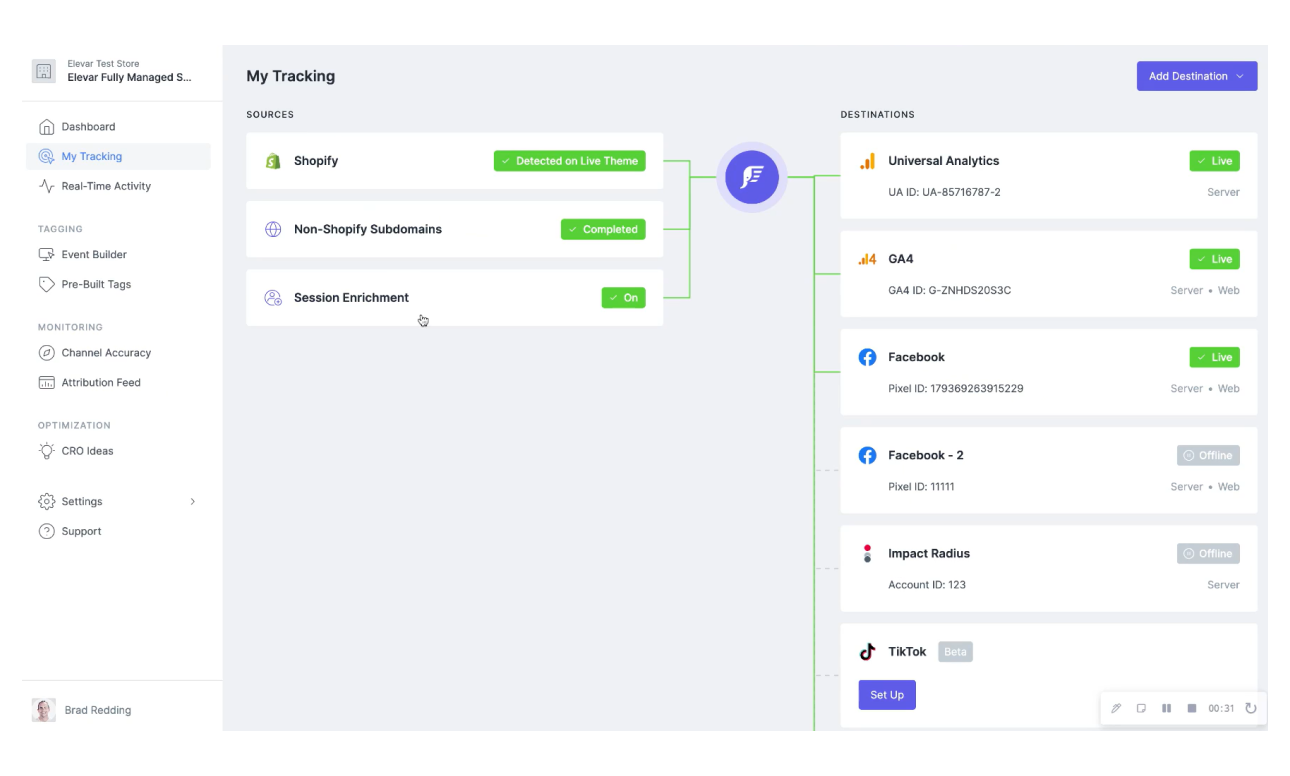
Best For: Shopify DTC and ecommerce brands that need reliable server-side GA4 + Meta CAPI + Google Ads conversion tracking or performance marketing teams where revenue attribution directly impacts ad spend decisions
Key Strengths: Server-side conversion tracking across 40+ destinations; per-channel accuracy scoring, Google Consent Mode v2 native support, revenue discrepancy detection, Shopify App Store integration
Limitations: Platform-specific to Shopif, primarily a tracking infrastructure tool rather than a configuration audit tool, pricing scales with order volume
Pricing:
- Core: $225/month (up to 2,000 orders)
- Advanced: $650/month (up to 10,000 orders)
- Premium: $1,250/month (up to 30,000 orders)
- Elite: From $3,000/month (up to 75,000 orders)
- Expert Installation: $1,000 (add-on)
- Analyst Services: From $500/month (add-on)
- 15-day free trial available.
7. Verified Data | Best for GA4 Audit + Privacy Compliance
Verified Data is a forensic GA4 audit and privacy compliance platform with two distinct products covering analytics data quality and website consent behavior. It was founded by Brian Clifton, one of the most respected data governance practitioners in the industry.
It is one of the few Google Analytics audit tools that combines GA4 configuration auditing with full consent compliance crawling in a single platform, covering both what your analytics is collecting and whether your consent management is actually working.
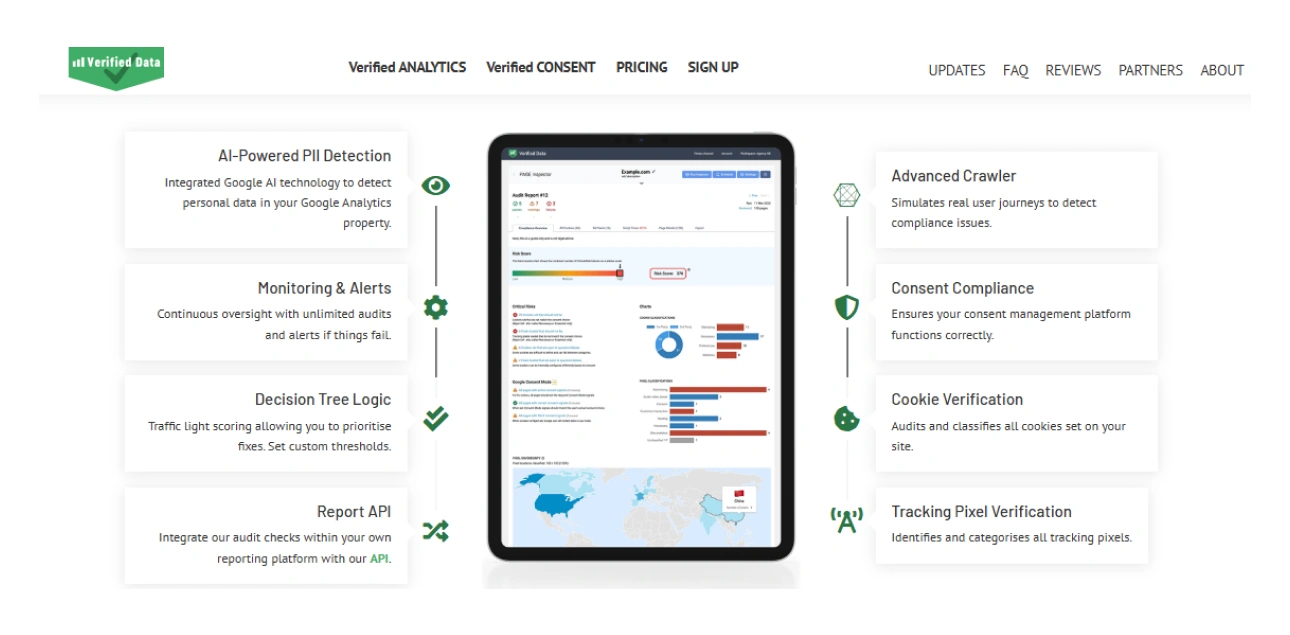
Best For: Mid-sized businesses and agencies managing multiple GA4 properties across web and mobile, teams with both analytics data quality and GDPR/CCPA compliance responsibilities and in-house analysts who need continuous monitoring
Key Strengths: Verified ANALYTICS (GA4 stream auditing: 60+ preset checks, PII detection via Google AI, unlimited audits, web/iOS/Android support, daily/weekly/monthly monitoring), Verified CONSENT (consent compliance crawler: validates cookie and pixel behavior before consent, after acceptance, and after rejection); traffic light scoring for prioritizing fixes; free tier available
Limitations: No API access or CSV export on standard paid plans, Enterprise tier required for those features, Preset checks may not cover highly customized GA4 implementations
Pricing:
Verified ANALYTICS (GA4 auditing), priced by data streams:
- Free: 1 data stream
- €99/month: 5 data streams
- €149/month: 10 data streams
- €249/month: 25 data streams
- Enterprise/Agency: Custom pricing
Verified CONSENT (consent compliance crawling), priced by projects:
- Free: 1 project
- €249/month: 5 projects
- €399/month: 10 projects
- €699/month: 25 projects
- Enterprise/Agency: Custom pricing
Each of the best GA4 audit tools above earns its place because it solves a specific gap in the GA4 tracking stack. Whether you are starting with a one-time configuration check or building a continuous monitoring setup, the comparison table below can help you find the right fit at a glance.
GA4 Audit Tools Comparison: Quick Reference
Here is a quick GA4 audit tools comparison to help you identify the right fit based on use case, audit type, and budget:
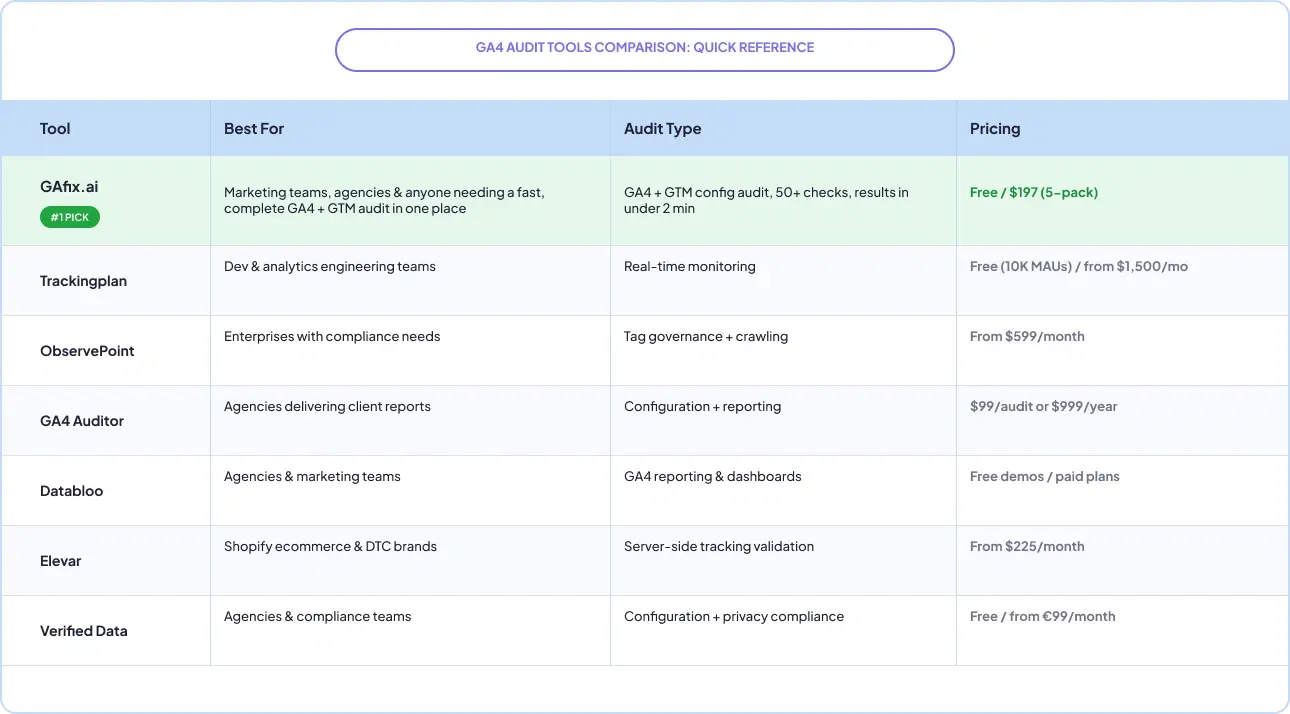
If a tool matches your use case but you are still unsure which to prioritize, the next section breaks down the decision by audit frequency, technical complexity, and business model.

How to Choose the Right GA4 Auditing Tools
The comparison table tells you what each tool does. This section helps you decide which one is right for your specific situation. The three filters below cover the most common decision points: how often you audit, how complex your setup is, and what type of business you are running.
Choose Based on Audit Frequency:
• One-time audit: GAfix.ai or GA4 Auditor ($99) for point-in-time configuration or diagnostic checks.
• Continuous monitoring: Trackingplan for real-time schema drift and alert-based monitoring.
• Regular post-deployment validation: Verified Data for scheduled recurring audits after releases.
• Ongoing reporting layer: Databloo for automated GA4 dashboards that surface performance trends continuously.
Choose Based on Technical Complexity:
• Simple GA4 property: GAfix.ai for straightforward configuration audits, simplified explanations, and minimal setup.
• Large-scale multi-domain enterprise: ObservePoint for thousands of pages with governance and consent compliance.
• Server-side Shopify tracking: Elevar for continuous accuracy scoring across 40+ ad platform destinations.
• Reporting and visualization layer: Databloo for structured Looker Studio dashboards across all marketing channels.
Choose Based on Business Model:
- E-commerce (Shopify): Elevar for server-side tracking accuracy
• Agencies: GA4 Auditor for white-label client report delivery, GAfix.ai for cost-effective per-audit, Databloo for automated white-label dashboards
• Enterprise organizations: ObservePoint for governance; Trackingplan for continuous automated monitoring
• Teams with GA4 + compliance responsibilities: Verified Data for combined analytics auditing (60+ checks, PII detection) and GDPR/CCPA consent compliance
If you are still not sure where to start in the world of best GA4 audit tools, GAfix.ai is the lowest-friction entry point. Run a free audit, see what comes back, and use those findings to decide whether you need deeper monitoring, better reporting, or more specialized validation on top of it.
Final Thoughts
The best GA4 audit software for your team comes down to three things: what specifically is broken (configuration vs. live tag firing vs. reporting), how often you need to audit, and what your budget looks like. For most marketing teams, GAfix.ai is the best starting point. It is fast, affordable, and specific enough to act on immediately. Start with the free 18 point checkpoint audit. It gives you a clear picture of what is broken and exactly how to fix it.
Mature analytics setups often use more than one tool together: GAfix.ai for the initial audit, Trackingplan or Verified Data for ongoing monitoring, and Databloo for stakeholder reporting.
If you're still working out what to spend, the GA4 audit cost guide breaks down every pricing tier, from free to $8,000+ — so you can match the right tool to your actual budget.
Run a free GA4 audit on GAfix.ai and identify tracking gaps and attribution issues in minutes. These best GA4 audit tools are here to help you fix your data before it costs you any more budget.
Frequently Asked Questions
What is a GA4 audit tool, and why do I need one?

A GA4 audit tool checks your setup for configuration errors, misfiring tags, missing events, and consent issues. These problems go undetected in standard GA4 reports because the interface shows data whether or not it is accurate. If you are making budget or optimization decisions based on GA4, a regular audit is not optional.
How often should I audit my GA4 property?
Quarterly is a solid baseline for most teams, plus after any major site change: a redesign, CMS migration, GTM update, or new consent platform. If you run paid traffic, monthly is worth it. Teams using continuous monitoring tools like Trackingplan or Verified Data catch issues on every deployment without waiting for a scheduled audit.
Can I use more than one GA4 audit tool at the same time?
Yes, and most mature setups do. GAfix.ai or GA4 Auditor covers configuration. Trackingplan or Verified Data monitors for drift between audits. Databloo surfaces the clean data in stakeholder dashboards. These tools work in layers, not in competition.
Confident Decisions Start with Accurate Tracking
Ensure your GA4 and GTM are correctly configured, reliable, and ready for scale.
.webp)

Subscribe To Our Newsletter


