





Is your GA4 data giving you trouble? Conversions not working, events missing, or ad money getting wasted? You are not alone. GA4 setup problems are very common, and many teams do not even realize they have them.
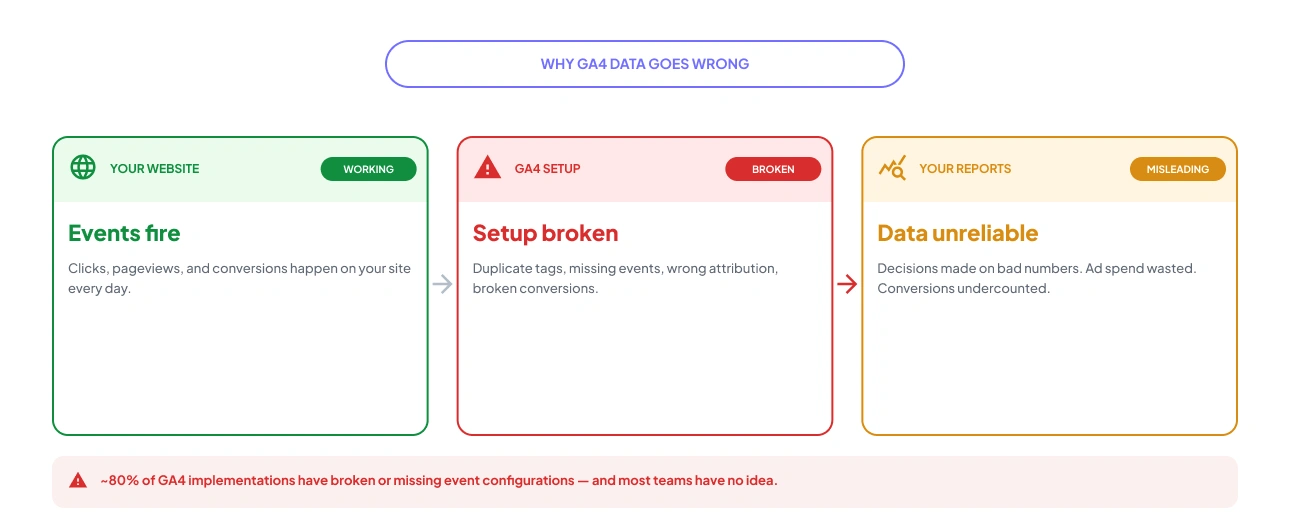
GA4 Auditor is a popular tool, but it is built for agencies. If you are a small business or startup running GA4 on your own, it can feel like too much. The reports are long, the pricing is steep, and there is no help with actually fixing things.
That is why we put together this list. Here are the 7 best GA4 Auditor alternatives in 2026.
If you want a simpler alternative to GA4 Auditor, try a free GA4 audit with GAfix.ai, built for startups and small teams that want fast, actionable insights without the complexity or view a sample Google Analytics audit report.

Why Teams Look for GA4 Auditor Alternatives

GA4 Auditor works well for agencies, but in-house teams at startups and small businesses often run into the same wall. Here is what they say:
- Too Much Output, Too Little Direction: The audit produces a 40+ page PDF or PowerPoint. Finding what to actually fix in there takes more time than the audit itself.
- Pricing Built for Agencies: A one-time audit costs $99, and the Agency Pro plan is $999/year. That makes sense if you are running unlimited audits for clients. It does not make sense if you are managing one or two properties yourself.
- No Fix Guidance: The tool tells you what is broken. What to do about it is your problem.
- No Ongoing Checks: Run the audit today, something breaks tomorrow, you will not know until you run it again.
- Hard to Prioritize: Some issues get marked as critical when they are not, so you end up focusing on the wrong things.
If this sounds familiar, there are better tools built for teams like yours.
What to Look for in a GA4 Auditor Alternative
Before you explore the list, use this simple checklist to compare your options. The best GA4 audit tool should cover most of these:
- Audit Depth: It should check event tracking, conversions, data settings, duplicate tags, and attribution gaps. Basic scans are not enough.
- Clear Results: It should show what is wrong and how to fix it.
- Fix Help: Some tools also help you fix the issues, which is useful if you do not have an expert.
- Low Cost: Look for a free plan or simple pricing. You should not need a big budget.
- GTM Coverage: Since GA4 and Google Tag Manager work together, the tool should check both.
- Speed: It should be quick to set up. If it takes days, it is not useful. The best tools connect to your property and show results in minutes.
Keep these in mind as you go through the list below.
The 7 Best GA4 Auditor Alternatives in 2026
1. GAfix.ai: Best for SMBs That Need to Audit and Fix GA4

GAfix.ai is the most complete GA4 audit and fix solution for small and mid-sized teams. It was built to solve a specific problem: most GA4 audit tools tell you what is broken but leave you to figure out the repair. GAfix closes that gap by pairing a standardized 18-checkpoint audit with structured fix packages covering everything from event tracking to Google Ads integration.
Key Features:
• 18-checkpoint GA4 audit: The Pro audit covers all critical areas of your GA4 property, data streams, event naming conventions, conversion tracking, attribution settings, integrations, and more.
• Free Tier With No Credit Card Required: Run your first audit immediately with access to 7 GA4 checkpoints. Limited audits per account on the free plan.
• Bronze, Silver, and Gold Fix Packages: Choose a hands-on service package that includes GA4 and GTM setup, custom event tracking, conversion tracking audit, and Google Ads integration, depending on how much help you need.
• Excel Export: Pro audits include a downloadable Excel report with findings and step-by-step fix guidance, easy to share with your team or clients.
• AWS Marketplace listing: GAfix is available on AWS Marketplace for teams that prefer consolidated billing and AWS-native security and deployment.
Pricing: Free (7 checkpoints, limited audits) / $49 for a single 18-checkpoint Pro audit / $198 for a 5-audit bundle/ Service packages available on request.
Best for: Startups, SMBs, and in-house marketing teams that want a fast GA4 setup checker with a clear path to fixing what they find.
2. Trackingplan: Best for Continuous GA4 Monitoring
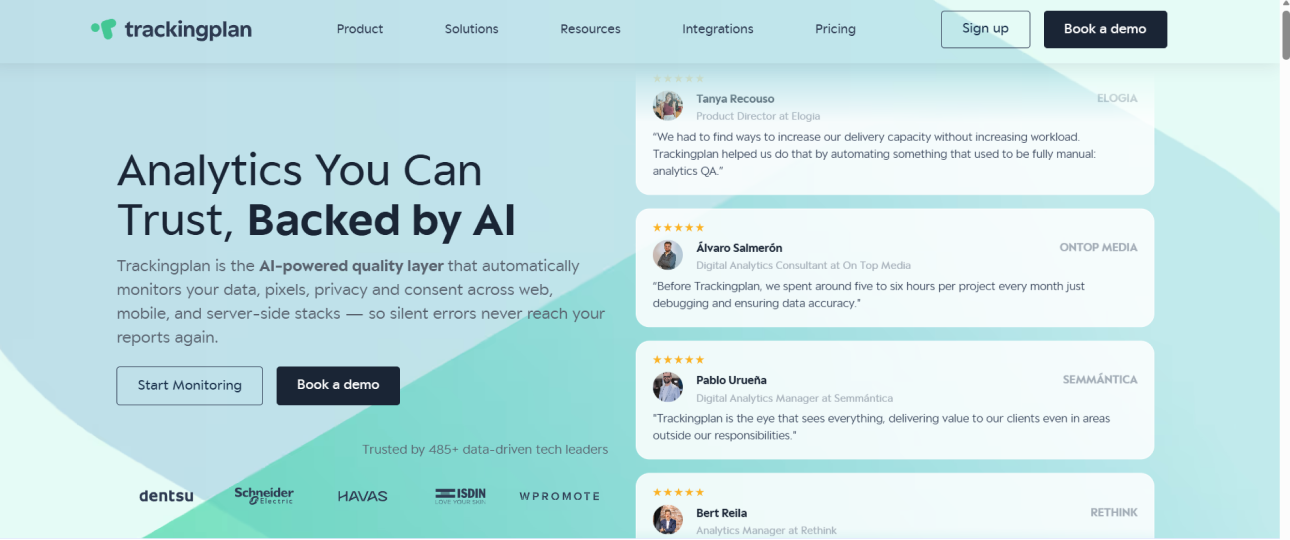
Trackingplan works differently from most audit tools. Instead of a one-time report, it watches your analytics around the clock and alerts you as soon as something breaks.
What it does:
- Automatically finds and validates tracking events in real time.
- Flags issues before they affect your reports.
- Checks for PII exposure and Consent Mode compliance.
- Works across web, app, and server-side tracking.
Pricing: Not listed publicly. You will need to contact their sales team.
Best for: Fast-growing companies that need their analytics monitored continuously, not just checked once in a while.
Honest caveat: This is likely more than most small teams need. It is better suited to larger companies with complex tracking setups and a technical team to manage the alerts.
3. ObservePoint: Best for Enterprise-Scale Auditing

ObservePoint is built for large organizations that need to audit thousands of pages across multiple websites. It uses automated crawlers to scan your entire site and flag issues across your analytics setup.
What it does:
- Validates GA4 tags, data layer variables, and consent banners across your site.
- Runs scheduled audits from multiple locations with real-time alerts when something fails.
- Covers funnel validation, Consent Mode, and cookie banner compliance.
- Built for complex, multi-domain setups at scale.
Pricing: Starts at around $1,500/month.
Best for: Large enterprises and governance teams managing analytics across multiple websites or regions.
Honest caveat: Way too expensive for most small businesses. If you are managing one or two websites, this is not the tool for you.
4. AuditTags: Best for Tag-Level Auditing

AuditTags runs real-browser scans of your website and checks around 47 things to make sure your tags are firing correctly and your tracking is set up properly.
What it does:
- Checks GA4 tag firing, GTM configuration, and duplicate measurement IDs.
- Verifies that GA4 actually respects user privacy choices after consent interactions.
- Gives you a severity-ranked PDF report so you know what to fix first.
- Works well for post-deployment checks and Shopify store audits.
Pricing: From $49 for a one-time scan. Monthly plans available if you want ongoing monitoring.
Best for: Marketing teams and Shopify stores that need to validate specific tags, GTM setup, or Consent Mode v2 compliance.
Honest caveat: It is not a full GA4 health check. AuditTags is great at tag-level validation but does not cover your entire GA4 property configuration.
5. Tatvic GA4 Audit: Best for Guided Audit with Expert Support

Tatvic is a Google Marketing Platform certified analytics company. They offer a free DIY GA4 audit tool that surfaces setup issues in under 5 minutes. What makes them different is the service layer behind the tool. Once the audit flags problems, you can bring in their team of certified specialists to fix them.
What it does:
- Free DIY GA4 audit: Connects to your GA4 property and surfaces discrepancies and implementation gaps in under 5 minutes.
- GA4 setup and migration: Full GA4 implementation, migration from Universal Analytics, and configuration services handled by certified specialists.
- Conversion rate and attribution consulting: Tatvic's team reviews attribution models, conversion setups, and event tracking to improve data accuracy for paid campaigns.
- AI-powered tag auditor: Automated schema-based tag validation that runs continuous audits across user journeys, reducing audit time by around 70% compared to manual processes.
- Custom reporting and Looker BI integration: Build dashboards and reports tailored to your industry KPIs.
Pricing: Free audit tool available. Paid services are custom-priced based on scope.
Best for: Teams that want a free audit entry point with the option to hand off fixes to a certified analytics team, rather than doing it all themselves.
Honest caveat: The free tool is primarily a lead-generation entry point for Tatvic's professional services. If you want a purely self-serve fix path, GAfix's Bronze/Silver/Gold packages are more structured and transparent on pricing.
6. DataBloo: Best Free GA4 Audit Option

DataBloo offers a genuinely free GA4 audit tool that runs in under 4 seconds. Connect your GA4 account, select your property, and get an automated health check across 25+ key aspects of your setup.
What it covers:
• General GA4 configuration checks.
• Custom tracking and event setup review.
• Marketing channel attribution health.
• E-commerce tracking completeness.
Pricing: Free. PDF export and white-labeling available as paid add-ons for agencies.
Best for: Bootstrapped startups, freelancers, and agencies looking for a no-cost GA4 health check.
Honest caveat: Limited depth compared to paid tools. Good for a quick overview but may not surface every GA4 misconfiguration that a thorough 18-checkpoint audit would catch.
7. GA4addON: Best for Fast, Comprehensive Free Self-Serve Audit

GA4addON offers a free GA4 audit that runs in just 90 seconds and checks over 70 common data errors, more checks than most free tools offer. It connects via read-only access to your GA4 property, evaluates over 100 data collection issues, and organises findings by category with clear next steps and how-to-fix videos built directly into the results.
What it does:
- 70+ automated checks: Covers e-commerce events (add_to_cart, purchase, checkout, refund), behavioral tracking, session quality, and data configuration issues.
- Customised to your site goals: The audit adapts its checks based on your property setup. For example, e-commerce properties get e-commerce-specific checks.
- How-to-fix videos: Each flagged issue includes a short video walkthrough explaining how to fix it, making it accessible without an analytics expert.
- Results in 90 seconds: Sign in with Google, run the audit, and get a scored, category-organised report almost instantly.
- Broader GA4addON platform: The audit is a free entry point into the GA4addON platform, which also offers reports, alerts, data quality monitoring, and attribution tools for GA4.
Pricing: Free audit with no credit card required. GA4addON platform subscription required for ongoing monitoring and advanced features.
Best for: In-house teams and analysts who want the most thorough free GA4 audit available, with fix guidance built in, and no setup friction.
Honest caveat: The audit itself is free, but the broader platform features require a paid subscription. No GTM audit coverage in the free tier.
GA4 Audit Tools Compared: Quick Reference Table
Here is a side-by-side snapshot to help you compare all 7 options at a glance. GAfix.ai stands out clearly on the two dimensions that matter most to SMB teams: pricing accessibility and fix support.

GAfix.ai vs GA4 Auditor: Head-to-Head
Here is a direct feature-by-feature comparison of the two most comparable tools for SMBs considering a switch:

The honest summary: GA4 Auditor is the stronger choice for agencies that need white-labeled, client-ready reports at volume. For SMB founders and in-house marketing teams, GAfix.ai is the better fit, the audit is structured and actionable, the pricing is transparent, and you do not walk away with a 40-page document and no idea what to do next.
How to Switch from GA4 Auditor to GAfix
Switching is simpler than it sounds. There is no data migration involved, GAfix audits your existing GA4 property using read-only permissions that never modify your data or settings.

- Run the Free 7-Checkpoint Audit: Head to GAfix.ai and connect your Google Analytics account. No credit card required. You will have your first results in under 5 minutes.
- Review Your Flagged Issues: The audit surfaces each issue with a clear explanation of what is wrong and why it matters for your data quality and reporting accuracy.
- Choose Your Fix Path: Minor issues? The Excel export from the Pro audit gives you everything you need to fix things yourself. Deeper problems like broken conversion tracking or attribution gaps? Select a Bronze, Silver, or Gold service package for hands-on support.
- Connect Your GA4 Property and GTM: Fix packages cover both GA4 and GTM setup together, no need to run separate processes for analytics and tag management.
- Validate That Tracking is Clean: Once fixes are applied, re-run the audit to confirm your data quality has improved. Clean data means you can finally trust your reports.
The whole process takes less than a day, and you walk away with a GA4 setup you can actually rely on.
Conclusion
GA4 Auditor is a solid tool if you are an agency producing reports for multiple clients. But if you are a small business or startup managing GA4 on your own, it is more than you need and less than you deserve.
Most audit tools stop at the report. They show you what is broken and leave the rest to you. GAfix.ai is different. It gives you the audit and a clear path to fix what you find, without the agency price tag or the 40-page PDF. If clean, reliable GA4 data matters to your business, GAfix.ai is the simplest way to get there.
Run your free GA4 audit at GAfix.ai. No credit card needed, results in under 5 minutes. Need help with the fixes? The Bronze, Silver, and Gold packages have you covered.
Frequently Asked Questions
What is the best free alternative to GA4 Auditor?

GAfix offers a free audit with no credit card required, giving you access to 7 GA4 checkpoints with limited audits on the free plan. If you want something even quicker, Data Bloo runs a free health check across 25+ GA4 checks in under 4 seconds.
Can I audit GA4 AND GTM in the same tool?
Yes. GAfix covers both GA4 and GTM in a single workflow, so you do not need to run separate tools for each.
Do any GA4 Auditor alternatives help fix issues, not just find them?
Most tools on this list are report-only. GAFix.ai is the exception. Its Bronze, Silver, and Gold service packages include hands-on implementation work covering GA4 setup, GTM configuration, custom event tracking, and Google Ads integration.
Confident Decisions Start with Accurate Tracking
Ensure your GA4 and GTM are correctly configured, reliable, and ready for scale.
%20.webp)

_%20A%20Practical%202026%20Guide.webp)
Subscribe To Our Newsletter


