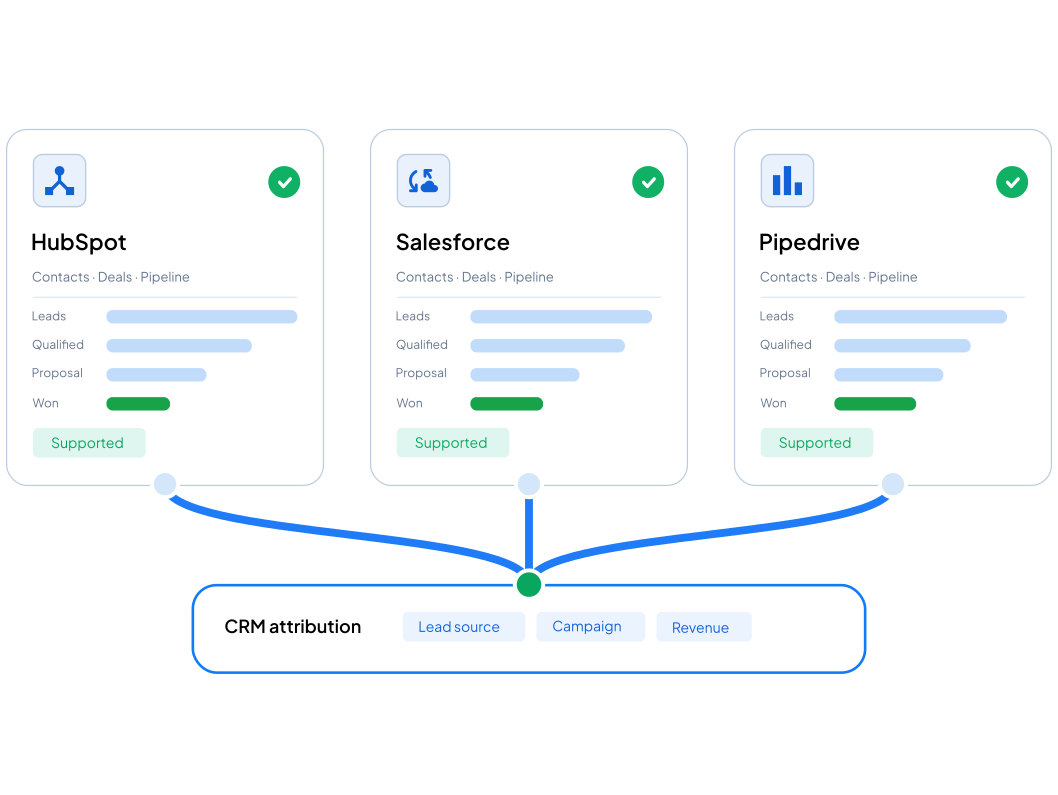
Hubspot · Salesforce · Pipedrive

Know which channels produce revenue, not just leads.

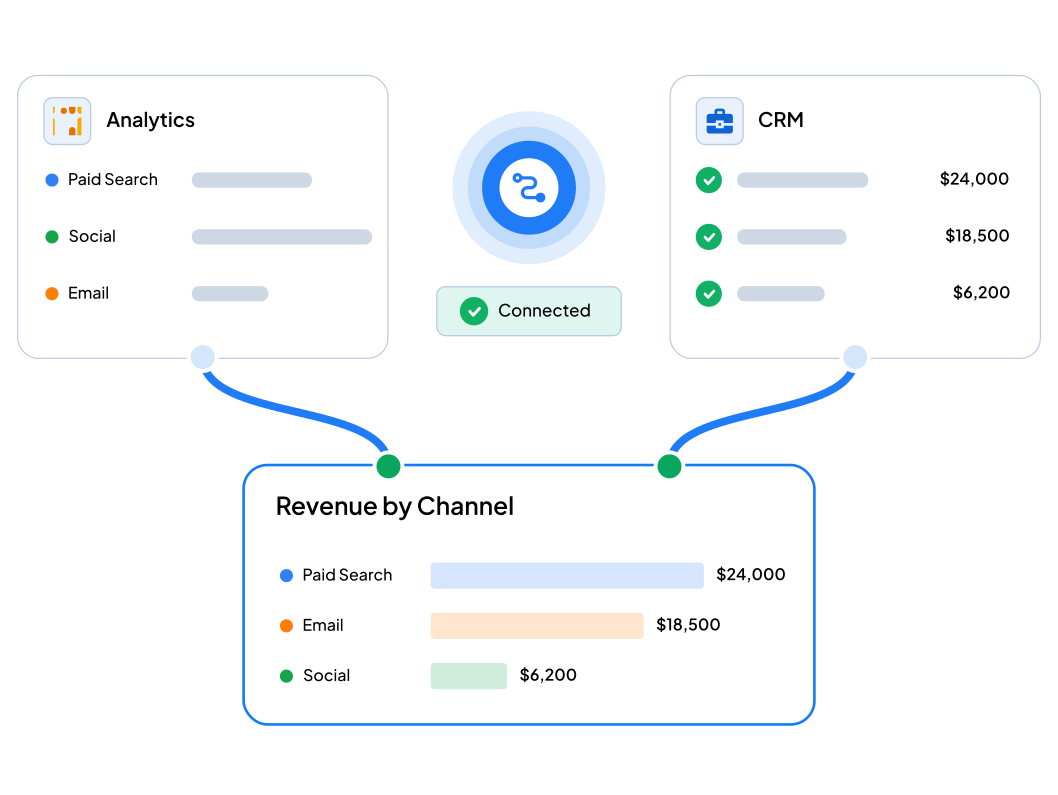
Analytics knows which channel sent the visit. Your CRM knows which deal closed. Nothing connects the two, so marketing optimises for lead volume and hopes quality follows.

Fixed price

No retainer

Tested before handover

Standard scope. Anything unusual is confirmed on the kickoff call.

The symptoms

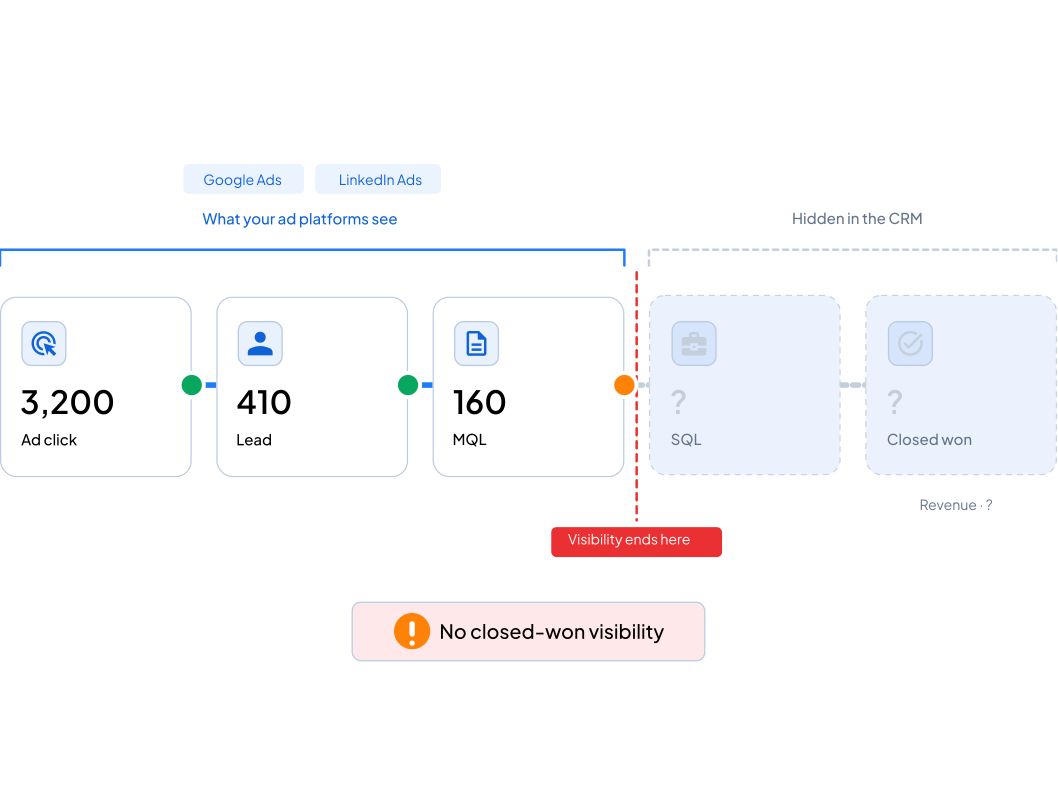
When marketing data stops at the lead

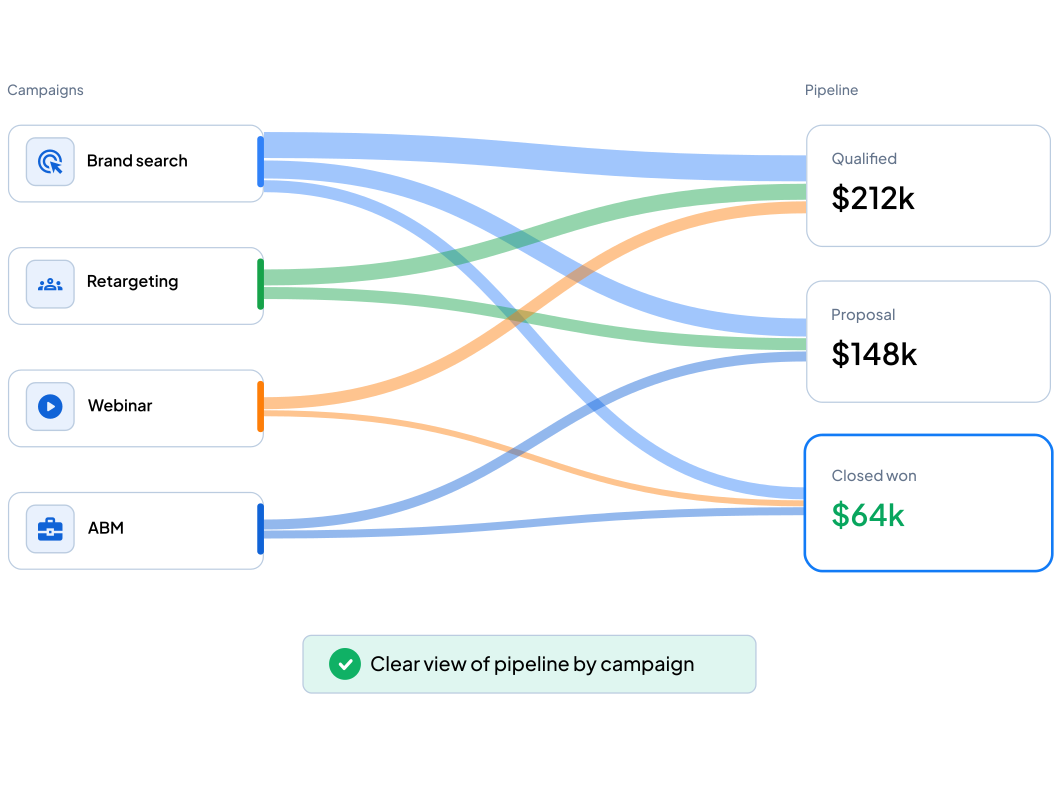
Optimising for lead count is how budget ends up funding the channel that produces the least revenue.

Leads arrive but you can't see which ones become customers

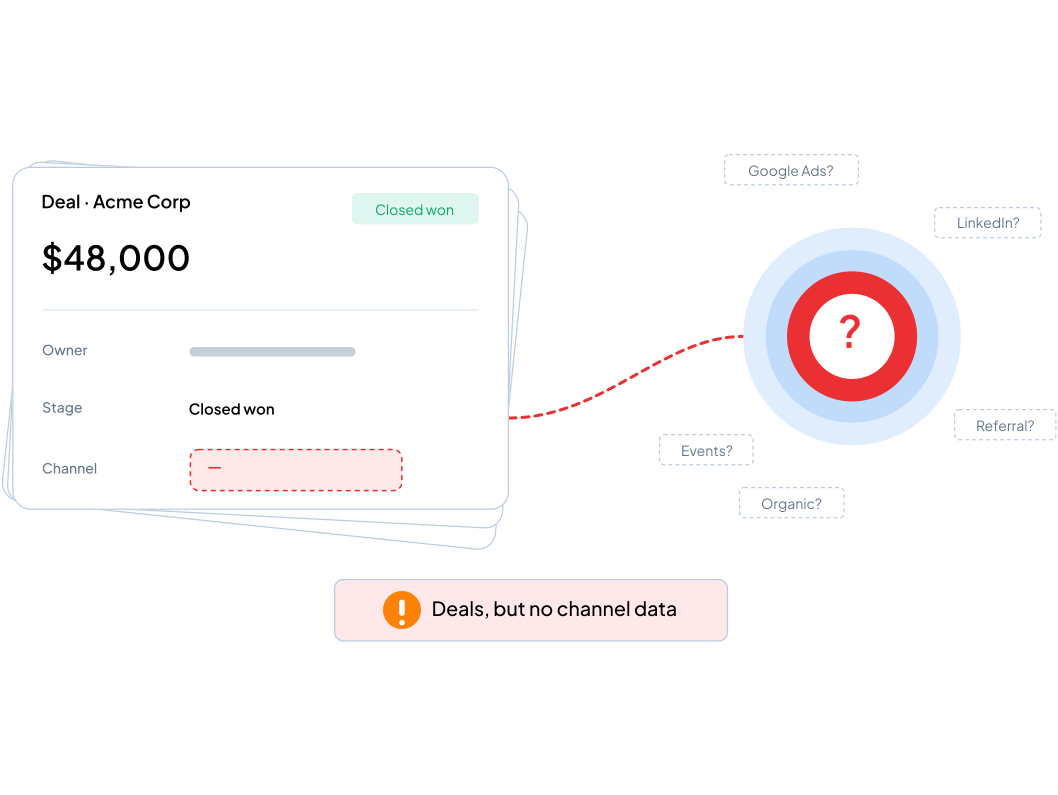
Your CRM has deal values and no channel attached to them

Marketing reports clicks and sessions while finance asks about revenue

Paid campaigns running with no view of closed-won attribution

Lead volume looks even across channels but close rates aren't

Form submissions that don't reliably reach analytics at all

Bar chart comparing GA4 audit workflows, showing GAFix delivers 70% time savings versus other tools

What changes

It isn't a form event. It's the journey, joined up.

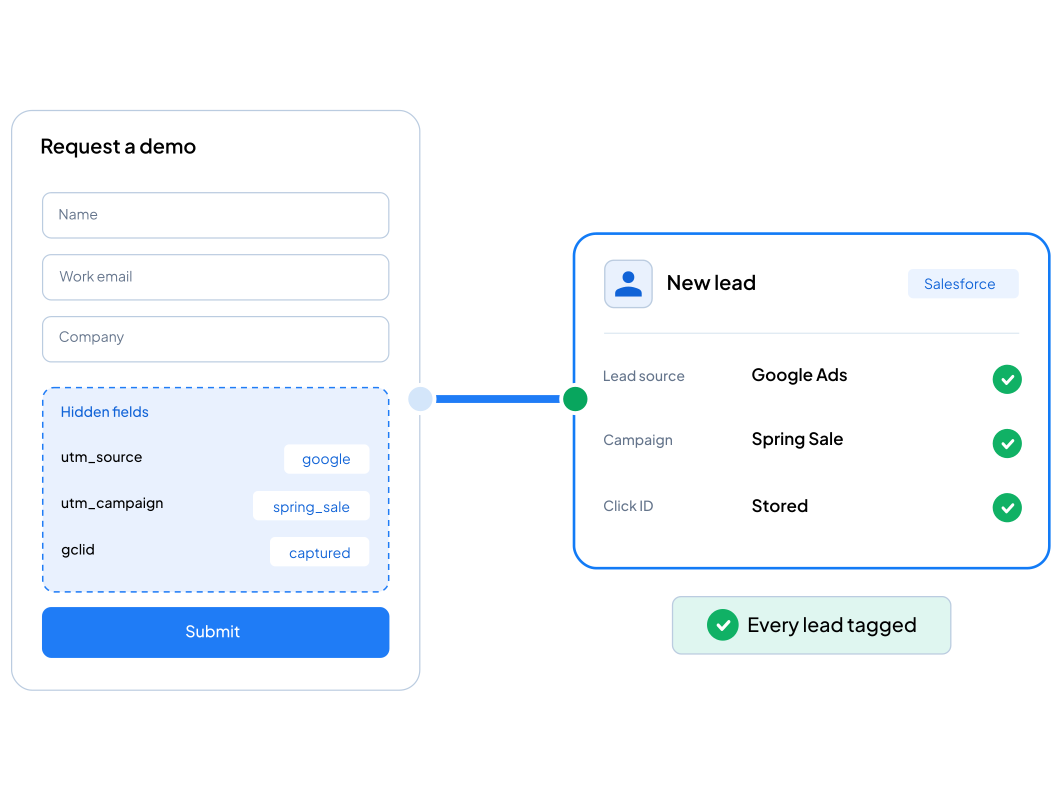
At the moment someone converts, we capture the campaign data that brought them and write it onto their CRM record. From then on it travels with them through the pipeline.

Bar chart comparing GA4 audit workflows, showing GAFix delivers 70% time savings versus other tools

Session source and campaign written to the CRM on submit

Lead source visible at contact and deal level

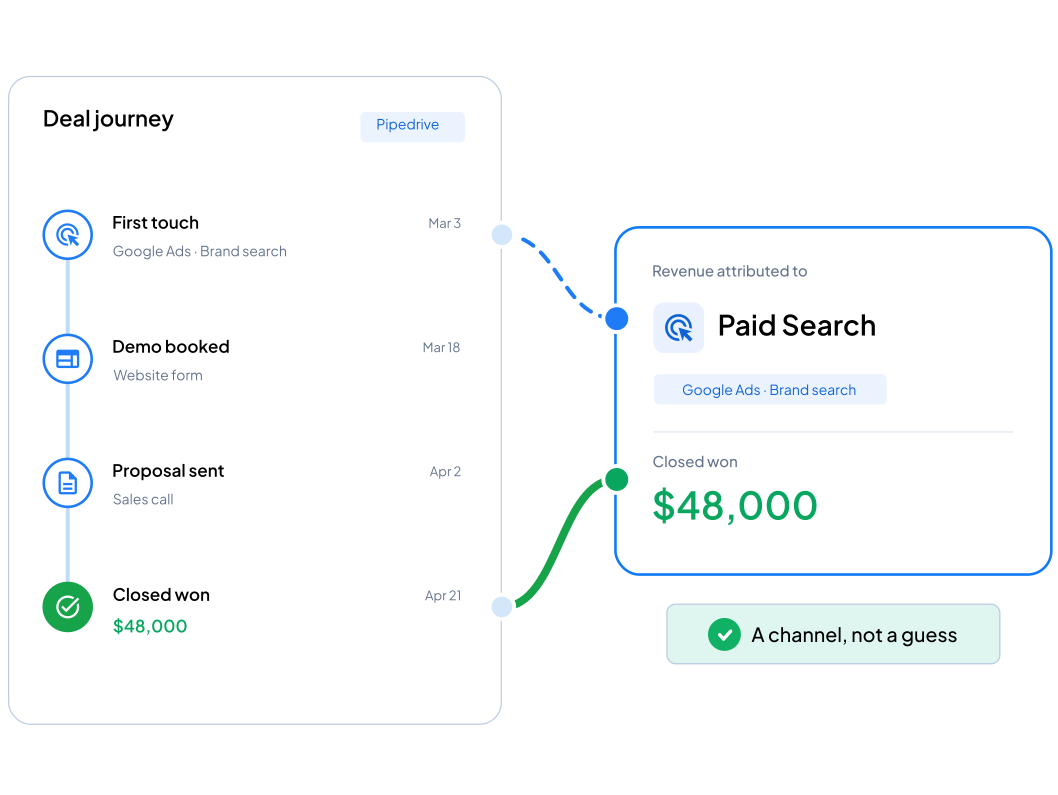
Closed-won revenue traceable to the original channel

No more high-value leads filed under direct or unknown

Scope

What's included

Capturing the source
Campaign parameters and session source captured reliably
First-touch and last-touch both preserved
CRM mapping
Session data mapped onto your lead and contact fields
Source, medium, campaign and content written on submit
Conversion events
Form submission events configured in your container
Hidden fields or webhook, depending on your CRM
Verification
Full test: ad click, session, submission, CRM field populated
Confirmed across your main lead sources
CRMs
HubSpot, Salesforce and Pipedrive in standard scope
Others confirmed on kickoff

CRM & Lead Tracking Setup

One-time setup. One CRM · One main form · HubSpot, Salesforce or Pipedrive

Order Now - $499

Scope note: Standard scope covers one CRM and one main form type with HubSpot, Salesforce, or Pipedrive. Multiple CRMs, complex routing, or custom integrations are scoped separately.

Process

How the work runs

Kickoff call

We review your CRM, your forms and your analytics property, and agree which sources matter most.

Connect

We configure the tags that capture session data and pass it to your CRM at the point of submission.

Verify

We run test submissions, confirm the fields populate, and check the attribution is visible where your sales team works.

Results

What you're left with

Every lead carrying the source and campaign that produced it
A clear view of which campaigns generate pipeline
Closed revenue attributable to a channel, not a guess
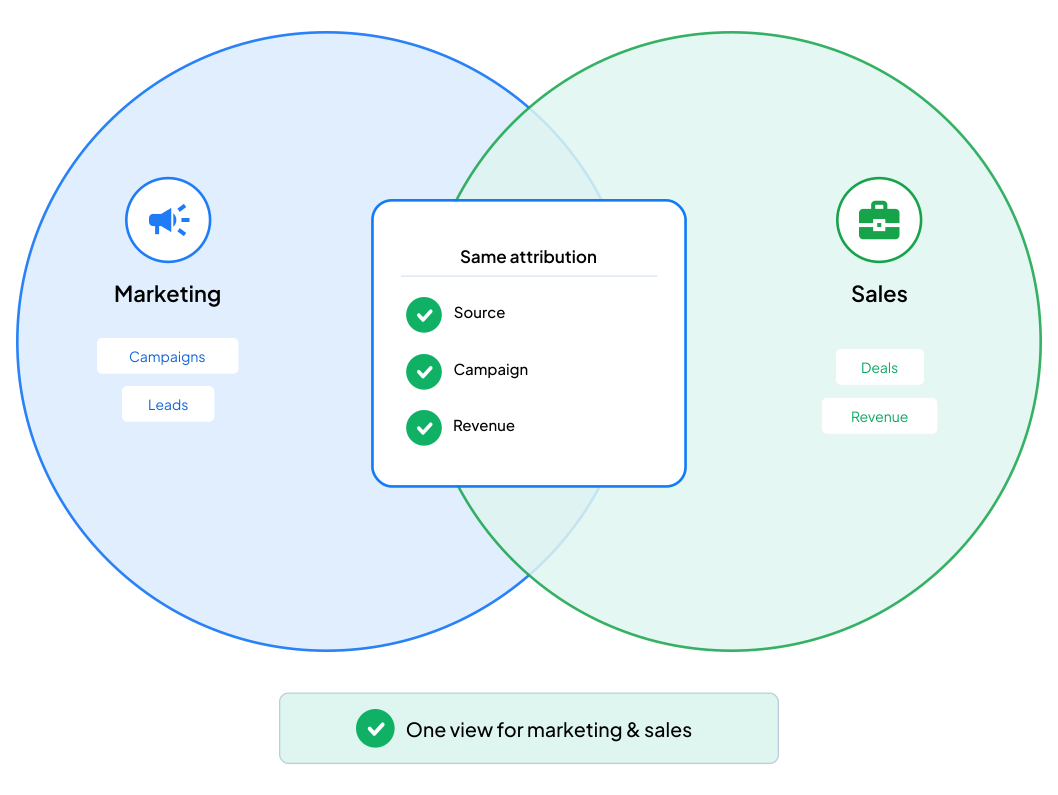
Marketing and sales reading the same attribution

Fit

Who this is for

B2B teams running paid campaigns with no closed-won visibility
Companies where the marketing-to-revenue gap comes up every month
Businesses whose CRM holds deals but no channel data
Teams on HubSpot, Salesforce or Pipedrive

FAQ

Frequently Asked Questions

How does this work in practice?

When someone submits a form we capture their session identifier and the campaign parameters that brought them, and write both onto the CRM record. Later, when that contact becomes a qualified lead or a won deal, that event goes back to analytics tied to the original identifier. The revenue lands against the campaign that actually earned it.

Does it survive a long sales cycle?

That's where it earns its keep. Because attribution is stored on the CRM record rather than in a browser cookie, a deal closing six months later still points back to the original source. Cookie-based attribution would have expired long before.

Which CRMs are covered?

HubSpot, Salesforce and Pipedrive in standard scope. Most others with an accessible API can be supported — worth asking before you assume not.

Will you need to change our forms?

No. We capture and pass the data on submit without touching your existing forms, so nothing about the experience changes for the person filling it in.