





For years, Google Analytics has been used to understand what already happened. You check traffic numbers, look at user behavior, and see how your campaigns did. This is also where a proper GA4 audit becomes important, as it helps you review if your tracking and data are set up correctly. But there is one problem with this. By the time you spot an issue or a missed opportunity, the campaign is usually already done.
To fix this, the latest Google Analytics update has added two new features — Scenario Planner and Projections. These features are meant to help you not just track the past, but also plan and make better decisions going forward.
Understanding Google Analytics Scenario Planner
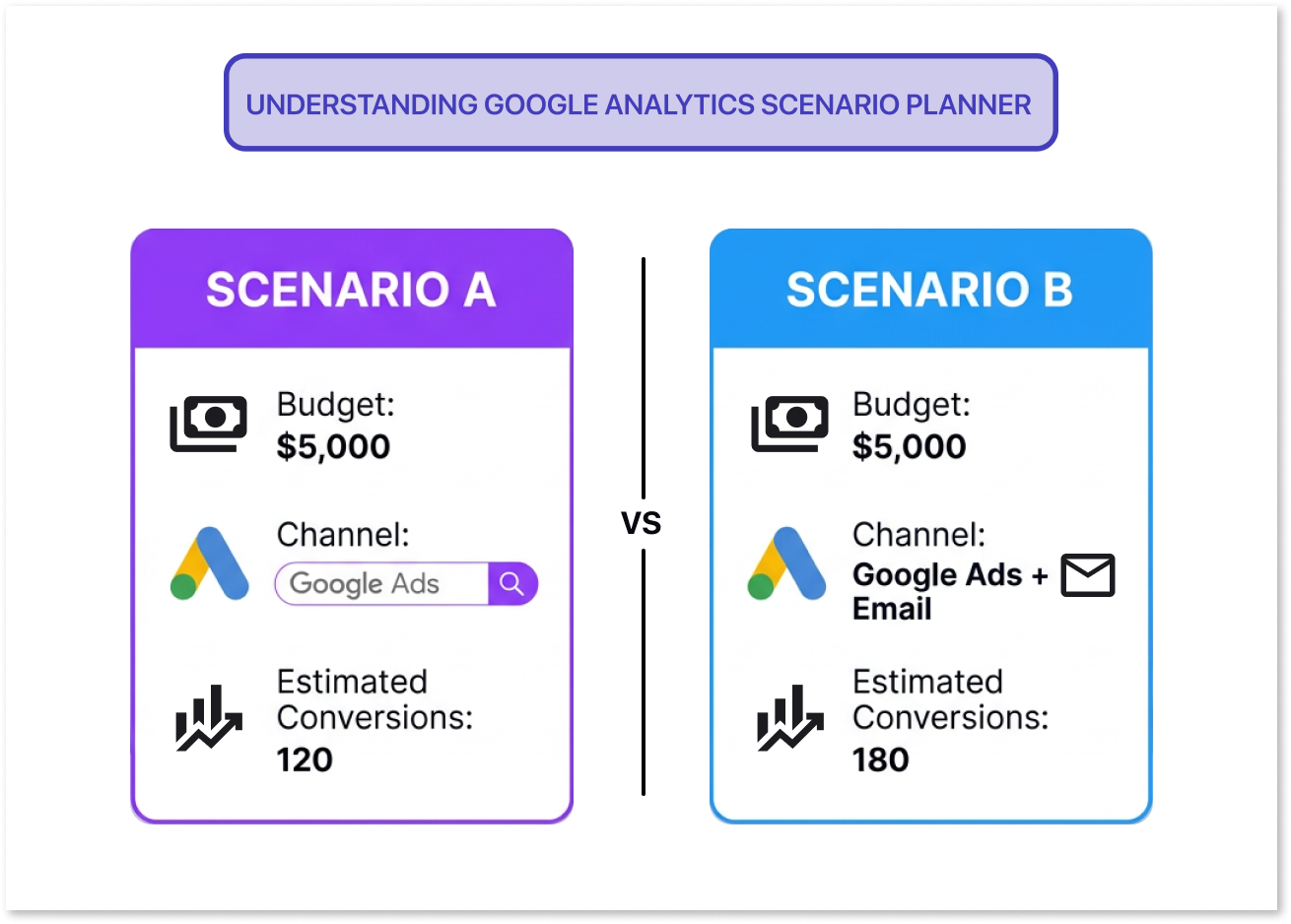
Google Analytics Scenario Planner is built to help you make better decisions before you launch a campaign. It lets you create different "what if" situations by changing things like your budget, which channels you use, or what results you expect. Based on what you put in, the tool gives you an idea of what outcomes you might get, like conversions or revenue.
For example, you can:
- Put more money into ads and see how it might affect conversions
- Move spending from one channel to another and compare the results
- Try out different campaign strategies before you decide on one
This makes planning feel more organized. Instead of going only by past experience or gut feeling, you can use data to guide your choices.
What Google Analytics Projections Bring to the Table
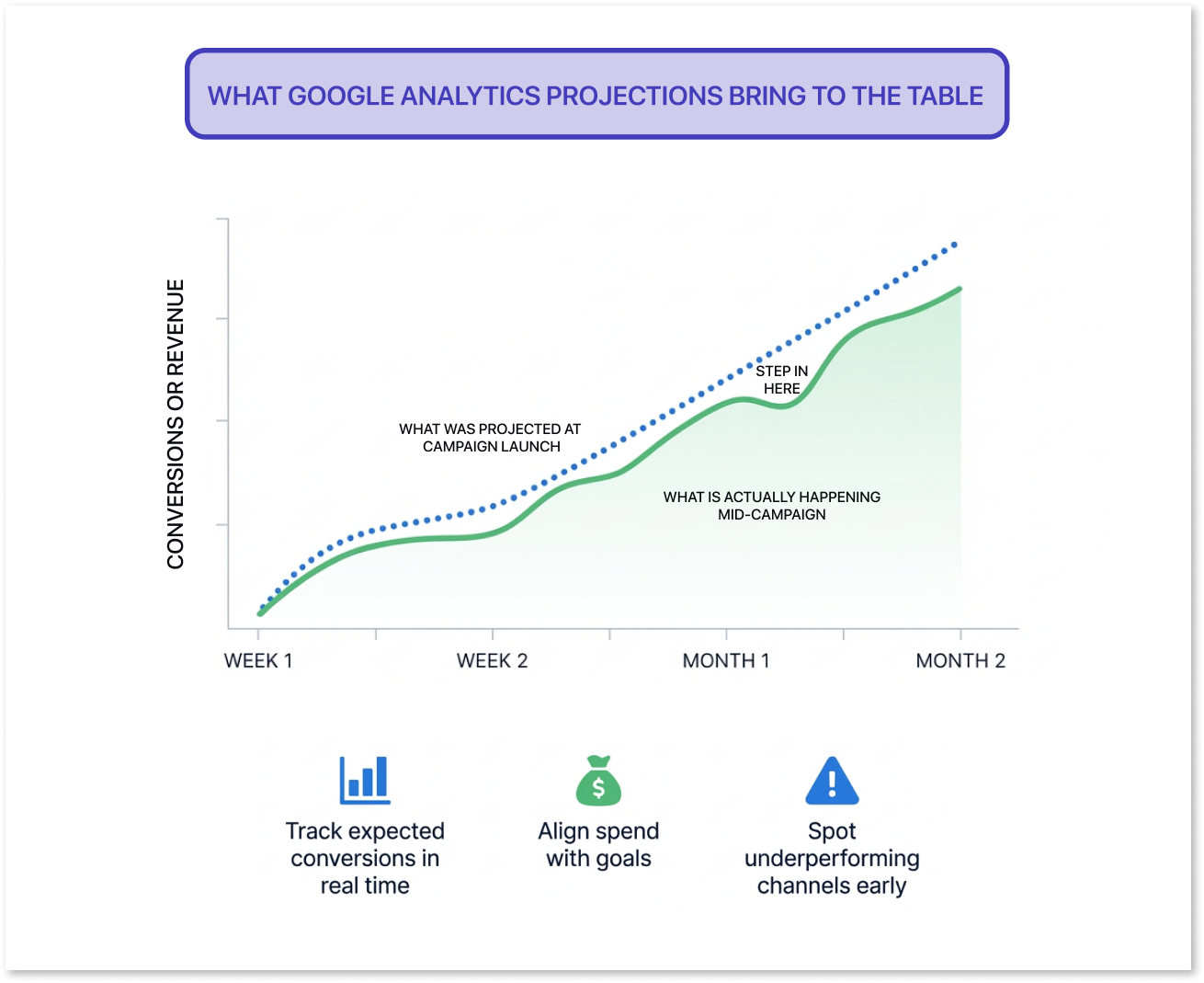
While Scenario Planner helps you before a campaign starts, Google Analytics Projections helps you while the campaign is running. It keeps looking at how you are currently doing and compares it to what was expected. This helps you see if your campaign is going the right way.
With Projections, you can:
- Keep an eye on expected conversions and revenue as things happen
- See if your spending is lined up with your goals
- Spot channels that are not doing well, early on
This means you do not have to wait until the campaign is over to know if it worked. You can make changes while it is still going and get better results.

Why This Update Matters
One of the biggest problems marketers run into is the gap between planning and actually running a campaign. Planning usually happens in spreadsheets or other tools, while tracking happens inside analytics platforms. Because these are separate, it is hard to connect the decisions you made to the results you got.
By adding Scenario Planner and Projections inside Google Analytics, both planning and tracking now happen in the same place. This makes the whole process smoother.
Because of this, teams can:
- Try out ideas before spending any budget
- Watch campaigns with a clearer picture of what to expect
- Make faster and smarter decisions
A Move Toward Predictive Analytics
These features are part of a bigger change happening in the world of analytics. Instead of only looking at what happened in the past, GA4 predictive analytics uses that past data to guess what might happen in the future. This helps businesses stop just reacting to things and start planning ahead instead.
For example, marketing teams can:
- Get an idea of what might happen before launching a campaign
- Plan their budgets with more confidence
- Feel less unsure when making decisions
These predictions are built on models and past data, so they are not always going to be right. But they still give you a much better starting point than just guessing.
A Few Limitations to Keep in Mind
These features are helpful, but they are not perfect.
- How accurate the predictions are depends on how much good data you have
- The results are estimates, not promises
- Accounts that are new or do not have much data may not get as much out of these features
Also, not everyone will have access to these features right away. It may take some time before they are available to all users.
What This Means for Marketers
For marketers, this is a real and practical improvement in how campaigns are planned and managed. Instead of only figuring things out after a campaign ends, you can now take a more active approach. You can plan with real data, watch how things are going in real time, and step in and make changes when needed.
This is especially useful for teams that are running many campaigns at once or working with a fixed budget, where every decision directly affects how things turn out.
Final Thoughts
Google Analytics is slowly changing from just a reporting tool into something that helps you make decisions. With Scenario Planner and Projections, it is now easier to not just understand what happened in the past, but also plan for what comes next with a lot more clarity.
If these features keep getting better, they could really cut down on guesswork and help marketing teams make smarter, more data-driven choices.
Frequently Asked Questions
What is the Google Analytics Scenario Planner?

Scenario Planner is a feature that helps you try out different campaign strategies before you launch them. You can change things like budget or which channels you use and see estimated results like conversions or revenue.
How are Google Analytics Projections different from Scenario Planner?
Scenario Planner is used before a campaign starts to test out different outcomes. Projections are used while a campaign is live to track how it is going and spot if any changes need to be made.
Are the predictions in Google Analytics completely accurate?
No, the predictions are not guaranteed. They are based on past data and models, so how accurate they are depends on how much good data your account has.
Confident Decisions Start with Accurate Tracking
Ensure your GA4 and GTM are correctly configured, reliable, and ready for scale.


.webp)

Subscribe To Our Newsletter


